Removing the line from the drum
When replacing the line in the drum, you need to remove the old line first.
Steps
-
Turn the power off using either the Mains switch on the control cabinet or the ON /OFF switch on the handheld remote control.
-
Remove the line from the sheave.
-
Turn the power on and push RESET on the handheld remote control.
-
On Ruskin, reconnect to the RBRglissando.
-
Go to the Manual tab and click Pay out. Unspool the entire length of the line until it stops.
The default pay-out speed is 1.5m/s. Use the up and down arrows to change this setting, or type in the value.
The maximum pay-out speed is 10m/s.
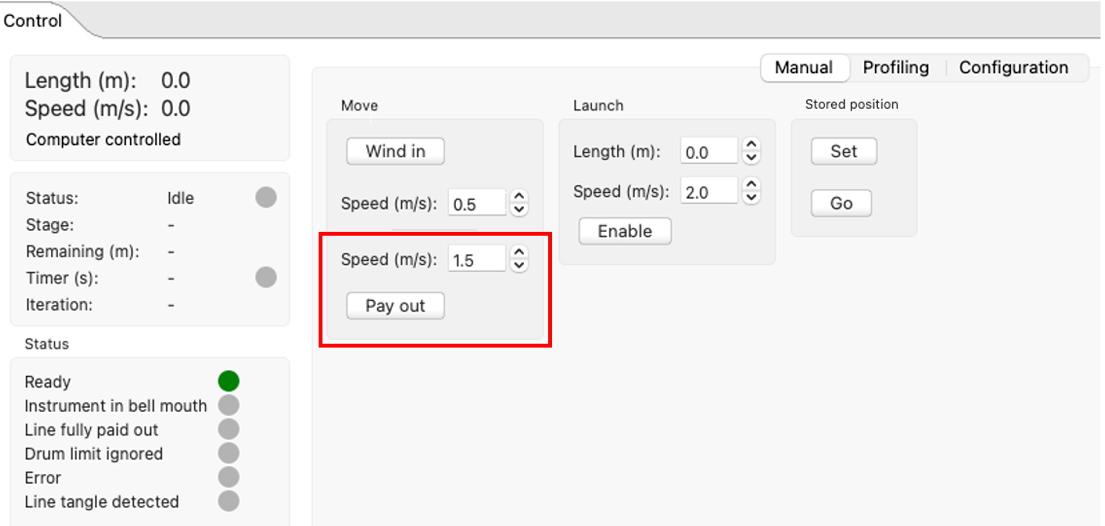
If you click once, the line will pay out bit by bit with each click.
If you click and hold, the line will run in continuously at the pay-out speed until it stops at the limit switch position.
The Status will indicate, "Line fully paid out".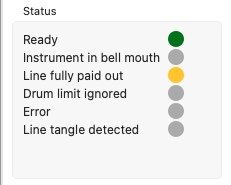
However, there will be about ten windings left on the drum.
-
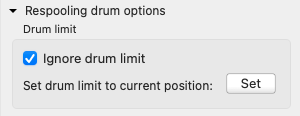
Go to the Configuration tab, open Respooling drum options , and select the Ignore drum limit checkbox.
-
Return to the the Manual tab and click Pay out again.
Slowly unspool the remaining line. Do not click and hold at this time. -
Disconnect the line from the drum and pull it out completely.