Error indicators on Ruskin
Line tangle detected
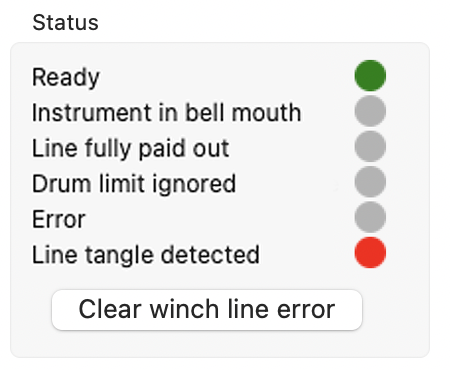
At a rare event of the line becoming entangled during operation, the RBRglissando will trigger an emergency stop, and the Status on Ruskin will indicate, "Line tangle detected". There will also be the Clear line error button displayed under the Status section. |
|
Solution: Inspect the drum unit, untangle the line, and click Clear line error to reset the winch.
Instrument in bell mouth
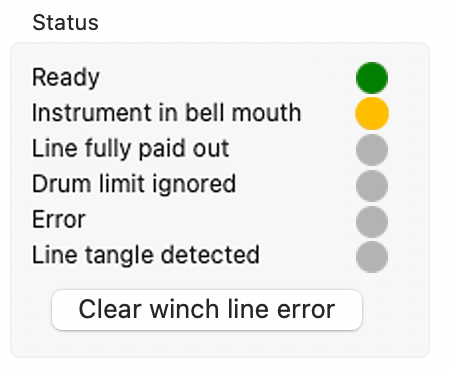
A tangled line may also trigger the "Instrument in bell mouth" status. When this is the case, there will also be the Clear line error button displayed under to the Status section. Additionally, you will be able see the line still coming out of bell mouth. |
|
Solution: Manually pay out the line via Ruskin or using the handheld remote until the knot emerges from the bell mouth and you can reach it. Untangle the line and click Clear line error to reset the winch.
Error
If the Status on Ruskin indicates, "Error" and/or displays a warning, a non-critical error was encountered during operation.
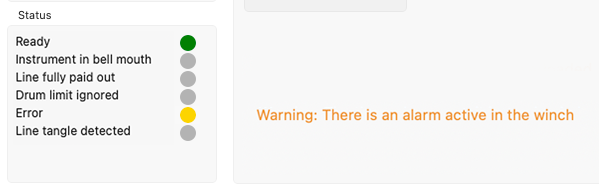
Solution: Turn the winch off and on again to clear the error.
Connection to Ruskin lost
If connection to Ruskin is lost, the winch will stop.
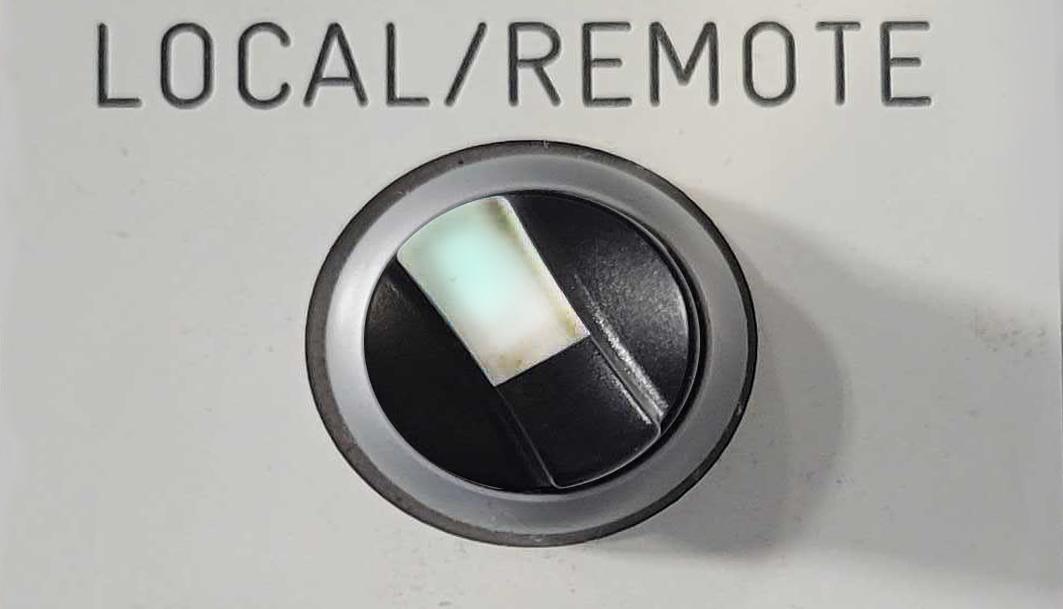
Solution: Switch to LOCAL on the handheld remote control unit for manual operation. The white LED will be on continuously (no blinking). Use UP and DOWN buttons on the handheld remote control unit to control the winch.
|
If you have tried the recommendations above and the RBRglissando still does not function as expected, contact our support team at [email protected] or via the RBR website. |