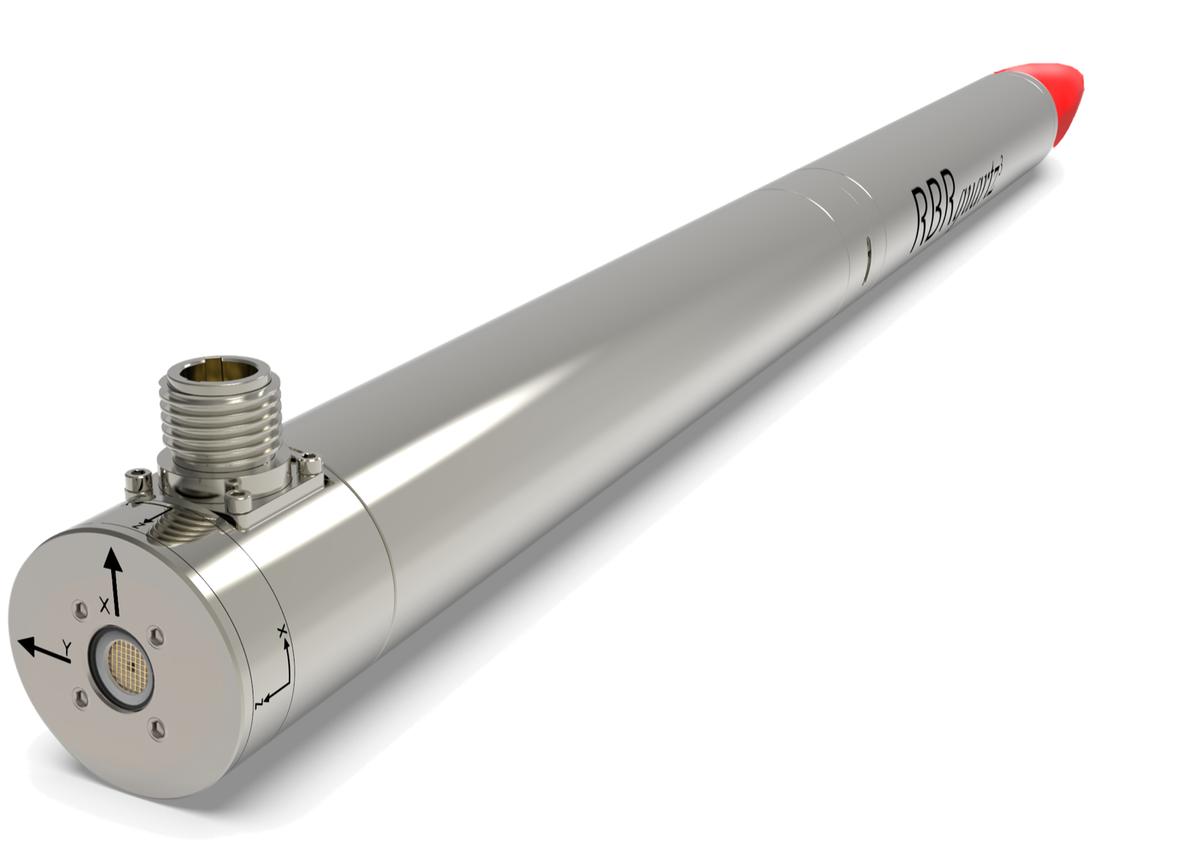
RBRquartz³ APT interface
The RBRquartz³ APT instrument provides an internal USB-C port and several external communication options. Select from RS-232, RS-485, and Ethernet at the time of order, and RBR will wire the battery end-cap to support your preferred external connection.
|
Refer to Opening and closing the instrument for details on accessing connection ports. Refer to Specifications for the external MINK-10-FCR connector pinout diagram. |
USB-C connection
Remove the battery end-cap to access the USB-C port located inside the instrument body. A USB-C desktop cable is supplied in the instrument support kit. Use this cable to download data from the instrument to your computer. |
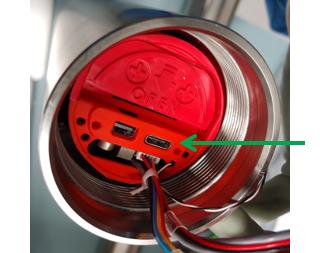
Fig. 2. USB-C port
|
|
The mini-display port located next to the USB-C port is not used. |
MINK connector
The RBRquartz³ APT instrument has an external MINK-10-FCR connector. The MINK interface provides both data and power connections and is located near the pressure sensor. The MINK data and power connections allow for extended deployments by providing external power and realtime data access without jeopardising the watertight seal.