Wi-Fi module
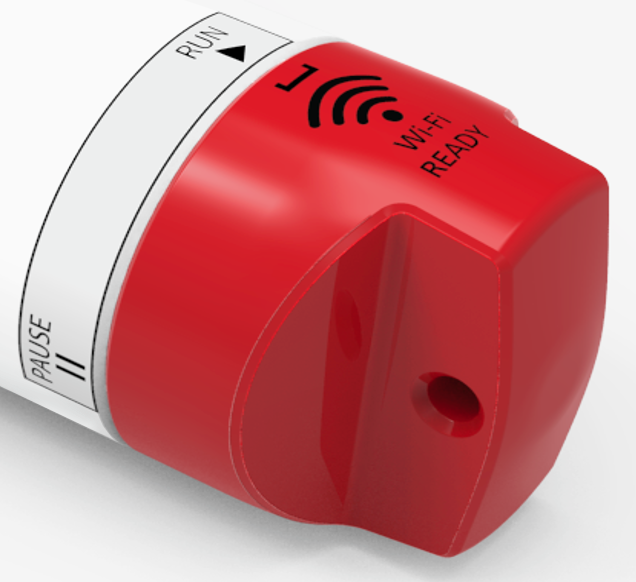
RBR instruments with the Wi-Fi READY icon on the end-cap are equipped with a Wi-Fi module. Contact RBR if you have any questions about this feature.
|
RBR | deep instruments in titanium housing with the Wi-Fi module installed can also use the Wi-Fi option. However, it requires a plastic battery end-cap in place of the titanium one provided with the instrument. Such plastic end-caps are limited to a maximum deployment depth of 2000m. To purchase a 2000m-rated battery end-cap for your titanium instrument, contact [email protected]. |
Use the Wi-Fi module on your instrument to download the realtime data and process them while still at sea. There is no need to open the instrument, and no need to be close to the shore as your instrument will be the router point.
When activated, the instrument will create its own SSID network which will appear under Wi-Fi networks on your device. Your device will switch to this network and connect to the instrument. If set to Auto-download, Ruskin will start downloading the data.
There are two ways to activate the Wi-Fi on RBR instruments: twist activation and pressure switch.
Twist activation
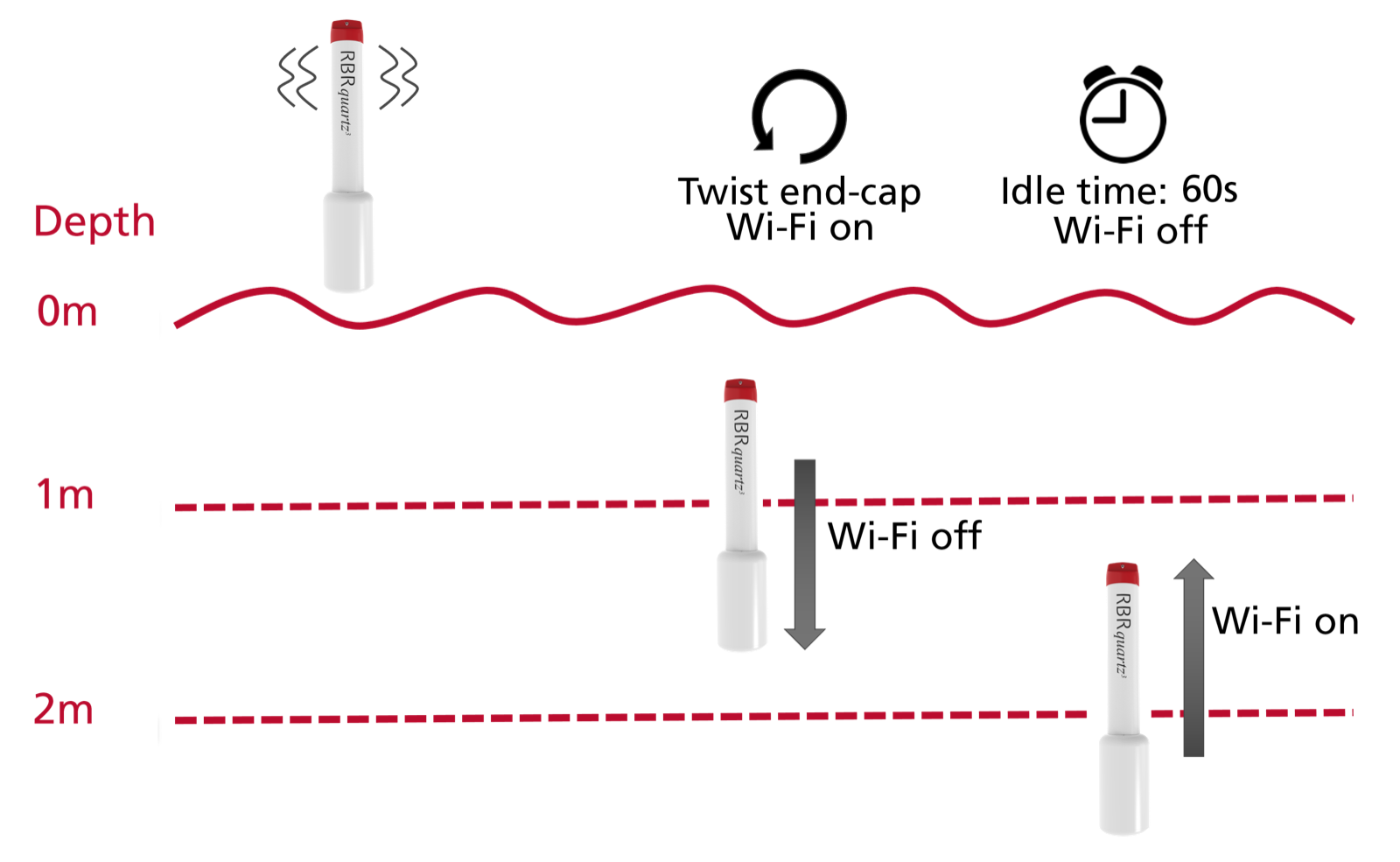
Activate the Wi-Fi by twisting the end-cap in either direction. The Wi-Fi will stay on for 60 seconds, waiting for you to connect. The instrument needs to be close enough for you to reach it and turn it on.
|
The Wi-Fi is disabled after 60s of inactivity. Twist the end-cap to RUN or PAUSE to re-activate the Wi-Fi. |
|
Twisting the end-cap to the RUN or PAUSE position will activate the Wi-Fi. However, twisting to the PAUSE position will also pause the instrument, as described above. Twist the end-cap back to RUN before continuing with deploying your instrument. |
Pressure switch
When your instrument goes underwater, the Wi-Fi will go off at the depth of 1-2m because the signal cannot get through. However, even if the instrument stays on the surface, the Wi-Fi will go off after 60s of inactivity. Thus, there will be no connection to the instrument while it is in the downcast phase.
During the upcast, the instrument will detect the drop in pressure and automatically switch on the Wi-Fi at about 2m below the surface. The Wi-Fi will stay on for 60s. If your laptop is within reach during this time, Ruskin will reconnect to the instrument and start downloading the dataset.
|
This feature does not apply to shallow deployments (2m or less). |
|
The nominal Wi-Fi range is 30m for instruments in plastic housing, but it may be shorter in real life due to challenging physical environments. |
|
If the Wi-Fi connection is lost in the middle of the download, Ruskin will continue from where it left off next time it detects the instrument again, appending to the original RSK file. |