Twist activation
All RBR Generation3 standard instruments are equipped with twist activation as a standard feature. See Ruskin User Guide: Standard Instruments3.
Sampling
Twist activation allows you to start or pause the instrument without the need to connect to a computer.
When you select Twist activation in Ruskin, the instrument starts to sample based on the twist PAUSE/RUN position rather than a schedule. To start sampling, first click Enable in Ruskin to enable logging. The status will then become Paused. Turn the battery end-cap to the RUN position. The instrument will vibrate with one long pulse and start sampling. To pause it, turn the battery end-cap to the PAUSE position. The instrument will vibrate with three short pulses to indicate it has paused logging. Wi-Fi Twist activation allows you to connect to the instrument over the Wi-Fi when using a mobile device. |
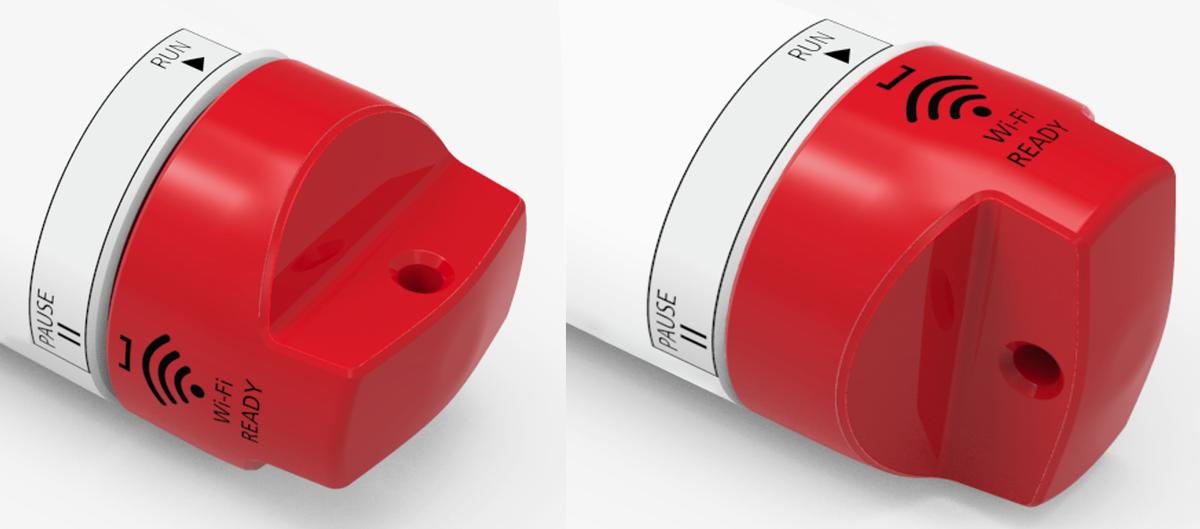
Fig. 12. Twist activation mode. Left: PAUSE, right: RUN
|
See Wi-Fi module for details.