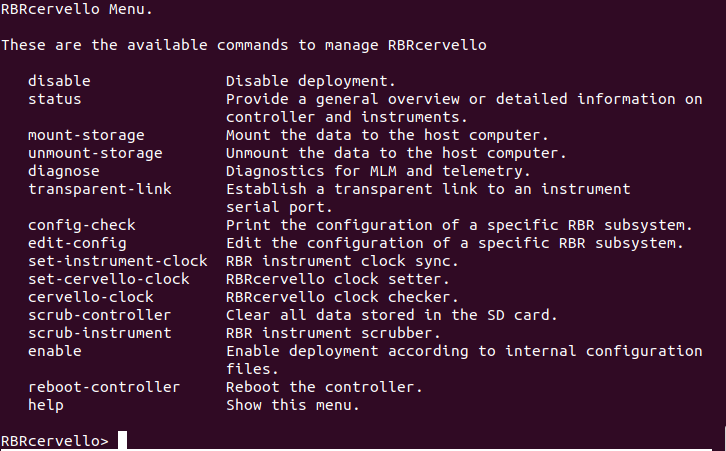
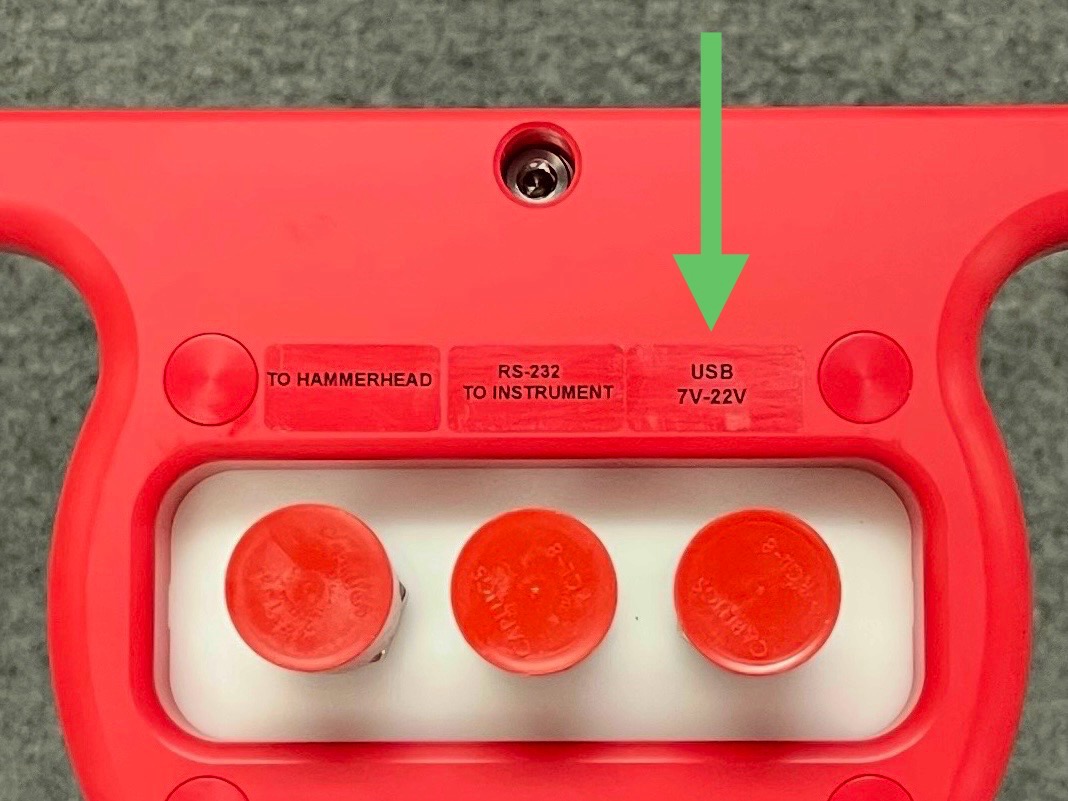
Using the USB port
|
Tools needed
|
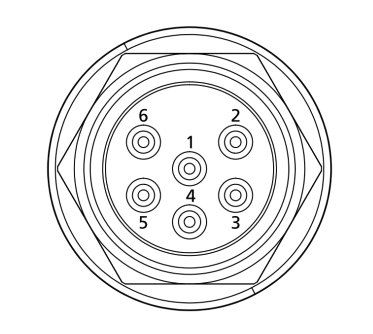
External MCBH-6-MP USB connector pinout
|
Pin No. |
USB |
1 |
Ground |
|
2 |
Power +7 to +22 V |
|
3 |
N/C |
|
4 |
Power: 5V |
|
5 |
D- |
|
6 |
D+ |
USB Patch cable
| Part No. | 2-metre patch cable | Notes | |
|---|---|---|---|
0011088 |
USB - MCIL-6-FS to USB-C |
For instruments with USB output. Includes a power terminal block. No extension cable available for USB. |
|
|
|||

Windows
On a Windows-based workstation, use any terminal emulator console that supports a serial port, such as Tera Term.
Tera Term
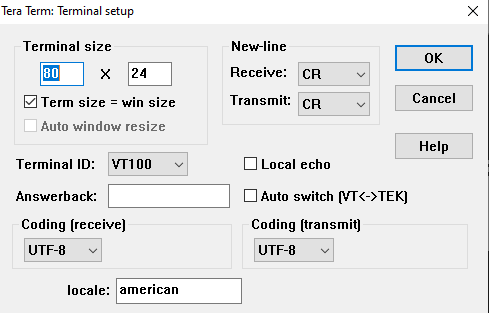
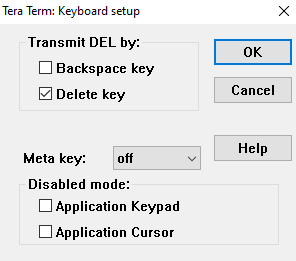
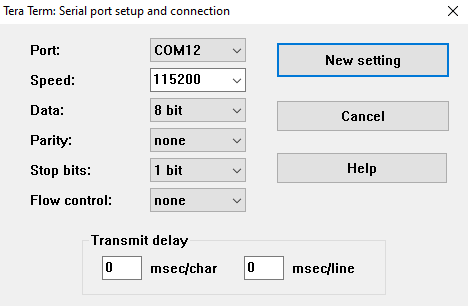
Tera Term is an open-source terminal emulator that lets you connect to hosts via serial port or the network. The default settings should work with the RBRcervello interface. In the unlikely event when they do not, load the configuration file provided below using the Setup > Restore setup menu.
|
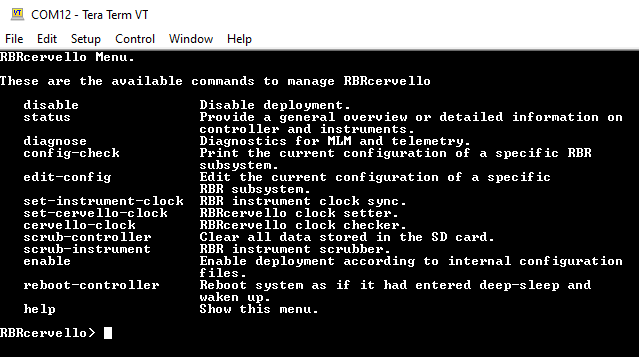
Fig. 14. Tera Term
|
Alternatively, configure the settings manually as follows
|
|
|
|
||
|
|
Linux
On a Linux-based workstation, use any terminal emulator console that supports a serial port, such as Minicom.
Minicom
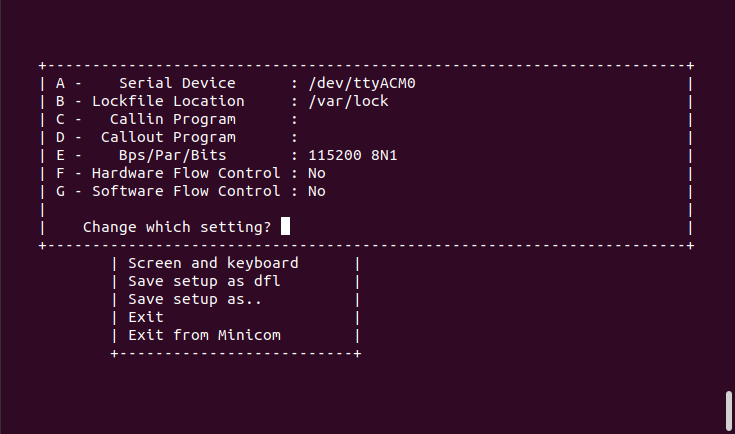
Minicom is a serial communication program that connects to devices through a GNU/Linux serial ports. Use the -s command to set up the terminal with the right port and settings, or execute it with explicit settings at runtime with the correct device.
minicom -D /dev/ttyACM0|
To copy and paste text from and to a Linux terminal, use Ctrl+Shift+C and Ctrl+Shift+V. |
|
Baud rate, the number of data/parity/stop bits, and flow control settings do not matter for USB communication devices. |