Retrieving data
The RBRcervata data controller supports USB On-The-Go: allowing stored data to be retrieved via its USB port as if it were a standard USB storage device.
|
As of the 2025 hardware revision of the RBRcervata, the internal SD card is no longer removable. If you experience issues retrieving data from the data controller, please contact [email protected]. |
|
Tools needed
|
To retrieve data via the external USB port
-
Power on the data controller.
-
Close Ruskin.
Always close Ruskin before connecting the controller to your computer.
-
Connect the provided USB patch cable to the controller and computer.
-
Open the serial terminal as described in Using the USB.
-
Disable the controller using the
disablecommand. See disable for more information. -
Check that all the instruments are disabled using the
statuscommand. See status for more information. -
Use the `mount-storage `command to expose the data to the host computer. See mount-storage for more information.
RBRcervello> mount-storage
Checking deployment status...
Stopping services...
Mounting data partition as read-only
For the drives to be detected in MacOS, you may need to disconnect and reconnect the USB cable to the computer.
|
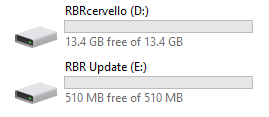
Fig. 6. Drives after using mount-storage
|