Install the batteries
|
The RBRfermata battery canisters ship with no batteries, unless requested at the time of order. |
|
Always remove the batteries from the RBRfermata during long-term storage. Doing so will prevent internal damage due to possible battery leakage and/or corrosion. |
The RBRfermata is powered using 48 alkaline, nickel metal hydride (Ni-MH) or Li-SOCI2 (LTC) D-cell batteries.
Alkaline and Ni-MH batteries When using alkaline or nickel metal hydride batteries, simply put them in the carrousel. These batteries are magnetic and hold in place with no additional steps required, as shown in See Fig. 4. |
(LTC) Lithium batteries Lithium batteries do not have enough magnetic material to hold them together in assembly. Use the red retention bands provided with your RBRfermata, as shown in Fig. 5. |
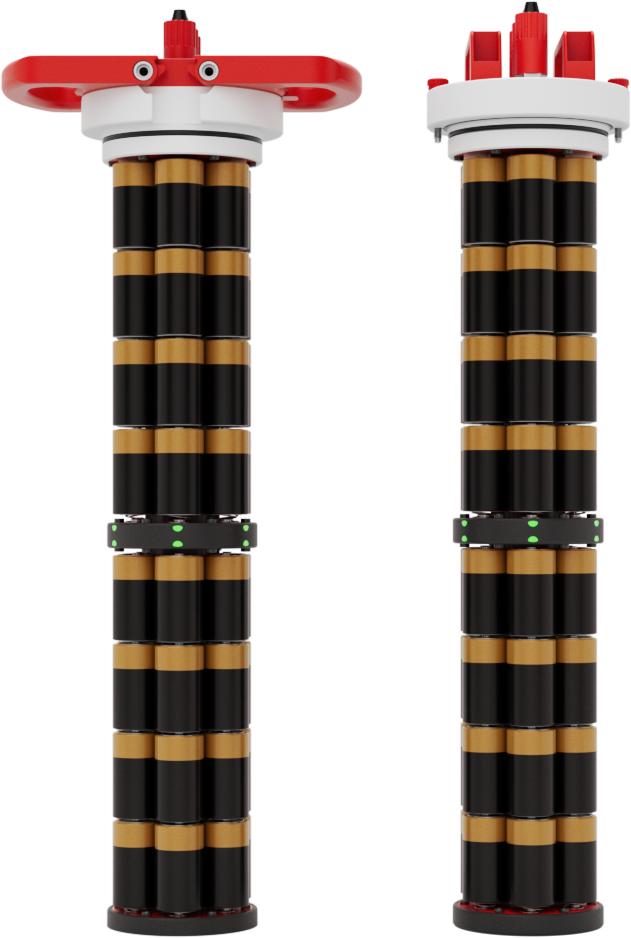
Fig. 4. A view of alkaline batteries held in to the carrousel magnetically.
|
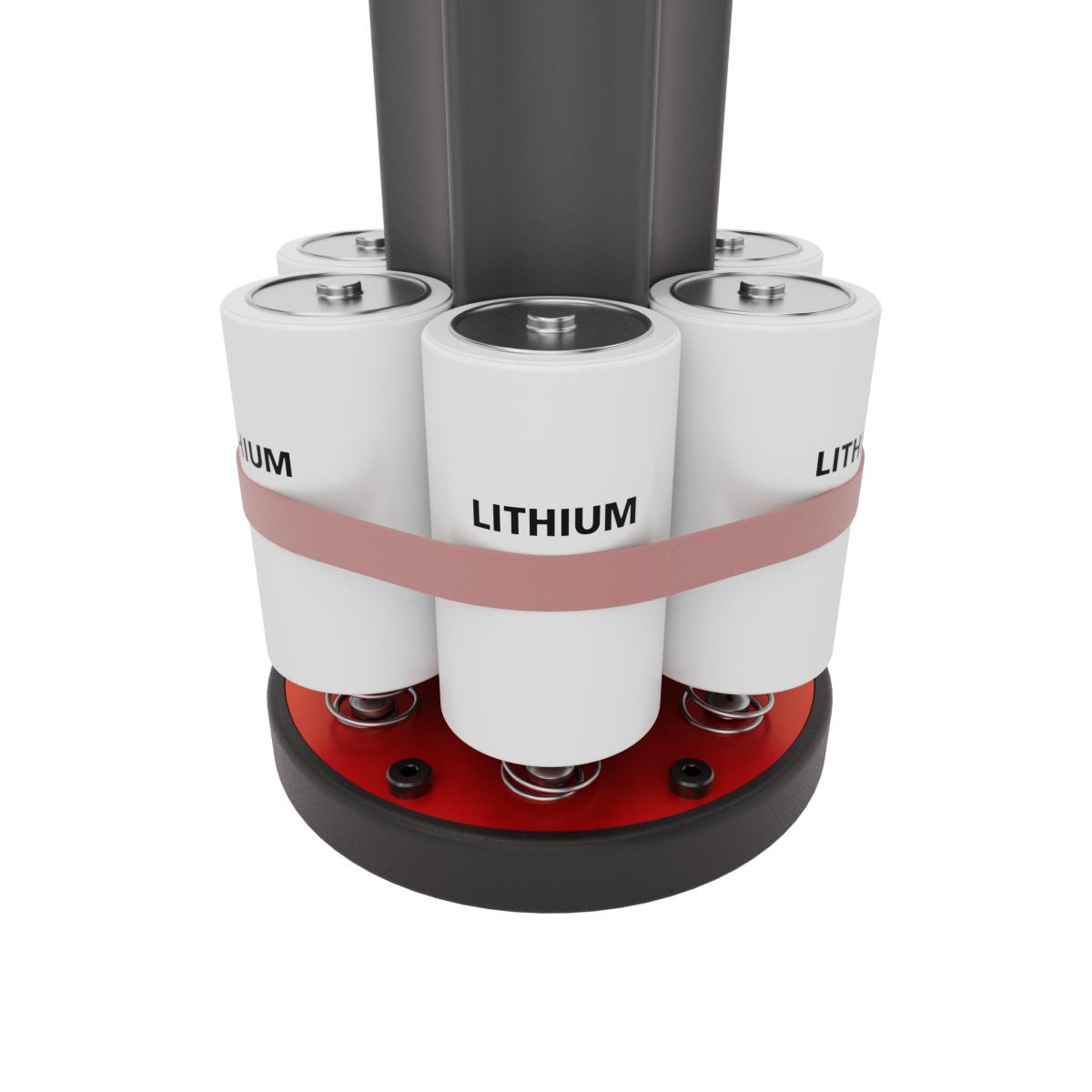
Fig. 5. A view of lithium batteries held in to the carrousel using a red retention band.
|
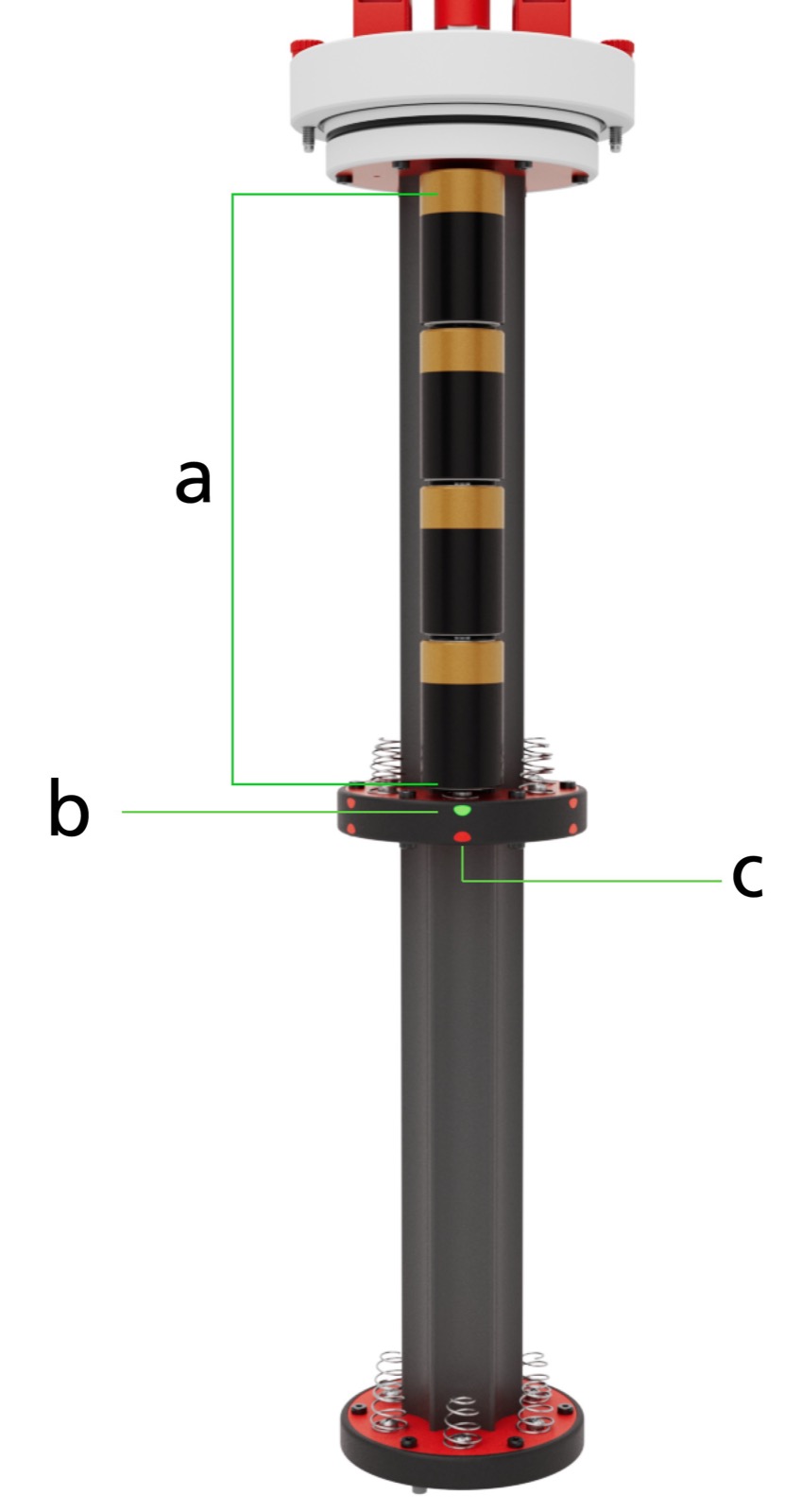
LEDs on the middle separator between the top and bottom carrousel indicate correct voltage and battery installation. All LEDs will illuminate when at least one column of batteries is correctly installed. See LED status table for more details.
Batteries should be placed in the carrousel with the positive terminals facing the battery end-cap, as shown in Fig. 6.
Valid column
A column refers to the four batteries stacked terminal to terminal in either the top or bottom battery carrousel as highlighted in Fig. 6. A column is valid if it meets two criteria:
-
The column voltage is between 4V and 18V.
-
The column voltage is within 0.8V of the highest column voltage of the existing valid columns.
When the RBRfermata determines a column is valid, the column LED will switch from solid red to solid green, see Fig. 6.
To install new batteries:
-
Load the batteries into the carrousel ensuring correct polarity.
-
When all batteries are installed and the RBRfermata has verified all the columns are valid, the LEDs will blink green six times indicating a valid canister.
-
The RBRfermata determines the chemistry and configures accordingly. See Battery voltage chemistry determination table for details.
-
All LEDs will now turn off and channels will be enabled to the 3x MCBH connectors mounted on the top of the battery end-cap.
-
Place the carrousel into the housing and Close the RBRfermata.
Note: When a valid carrousel is removed from the housing, the LEDs will blink green six times. Output channels will continue to be enabled until the canister enters an invalid state. See Invalid canister for more information.
Invalid canister
A canister enters an invalid state if:
-
At least one column does not meet the Valid column criteria.
-
The RBRfermata detects low voltage. See Low voltage shutoff for more information.
-
The RBRfermata detects a short circuit. See Short circuit protection for more information.