Updating the instrument
The data controller has a USB interface for retrieving data from the unit and for installing firmware and configuration updates.
|
If you connect the USB cable while the data controller is in a deep-sleep state, it might take it up to 15 seconds to register on your computer. |
|
Tools needed
|
Procedure
Use the diagnostic menu to retrieve data from the data controller via the external USB port.
-
Power the unit.
-
Close Ruskin
Always close Ruskin before connecting the controller to your computer!
-
Connect the provided USB patch cable to the instrument and computer.
-
Open the serial terminal as described in Using the USB port.
-
Disable the instrument using the disable command.
-
Check that all the instruments are disabled using the status command.
-
Use the mount-storage command to expose the data to the host computer.
RBRcervello> mount-storage Checking deployment status... Stopping services... Mounting data partition as read-only -
Uncompress the update-package provided in the root directory of the "RBR Update". The folder structure should look like the screenshots below depending on what would be updated, the configuration files or the firmware.
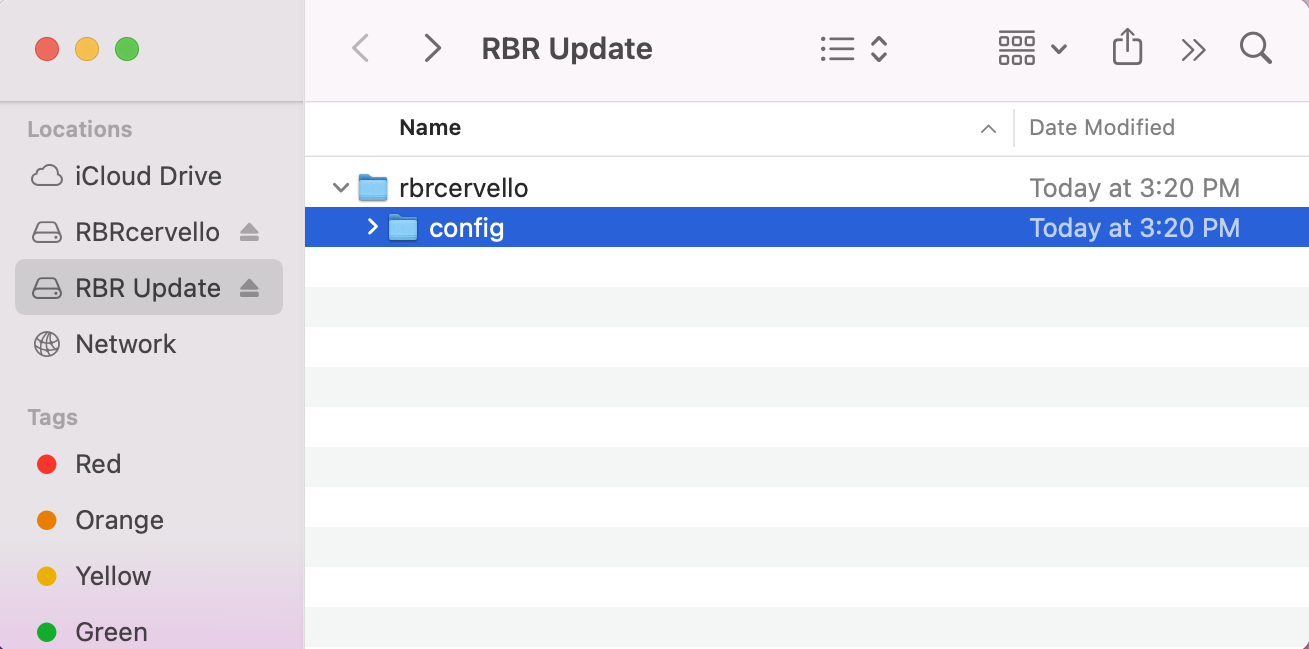 Fig. 23. Configuration update
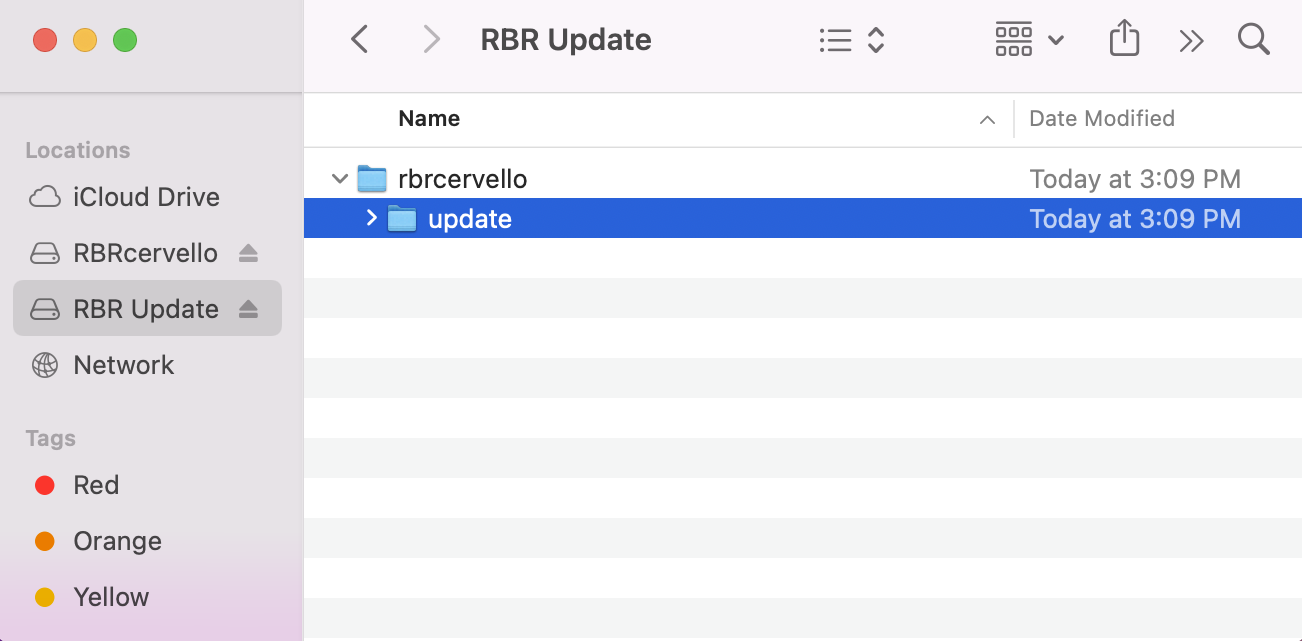 Fig. 24. Firmware update
The user may modify the configuration files according to the configuration file reference.
-
Eject the "RBR Update" drive from the computer before proceeding.
Failing to eject the drive before disconnecting the cable or executing the unmount-storage command could result in a failed update.
-
Use the unmount-storage command to cleanly disconnect the drive.
The update may take up to 5 minutes to finish.
-
Once the update process is finished, the instrument will reconnect again to the computer. If it doesn’t, try unplugging the USB cable and replugging it.
Light indicator
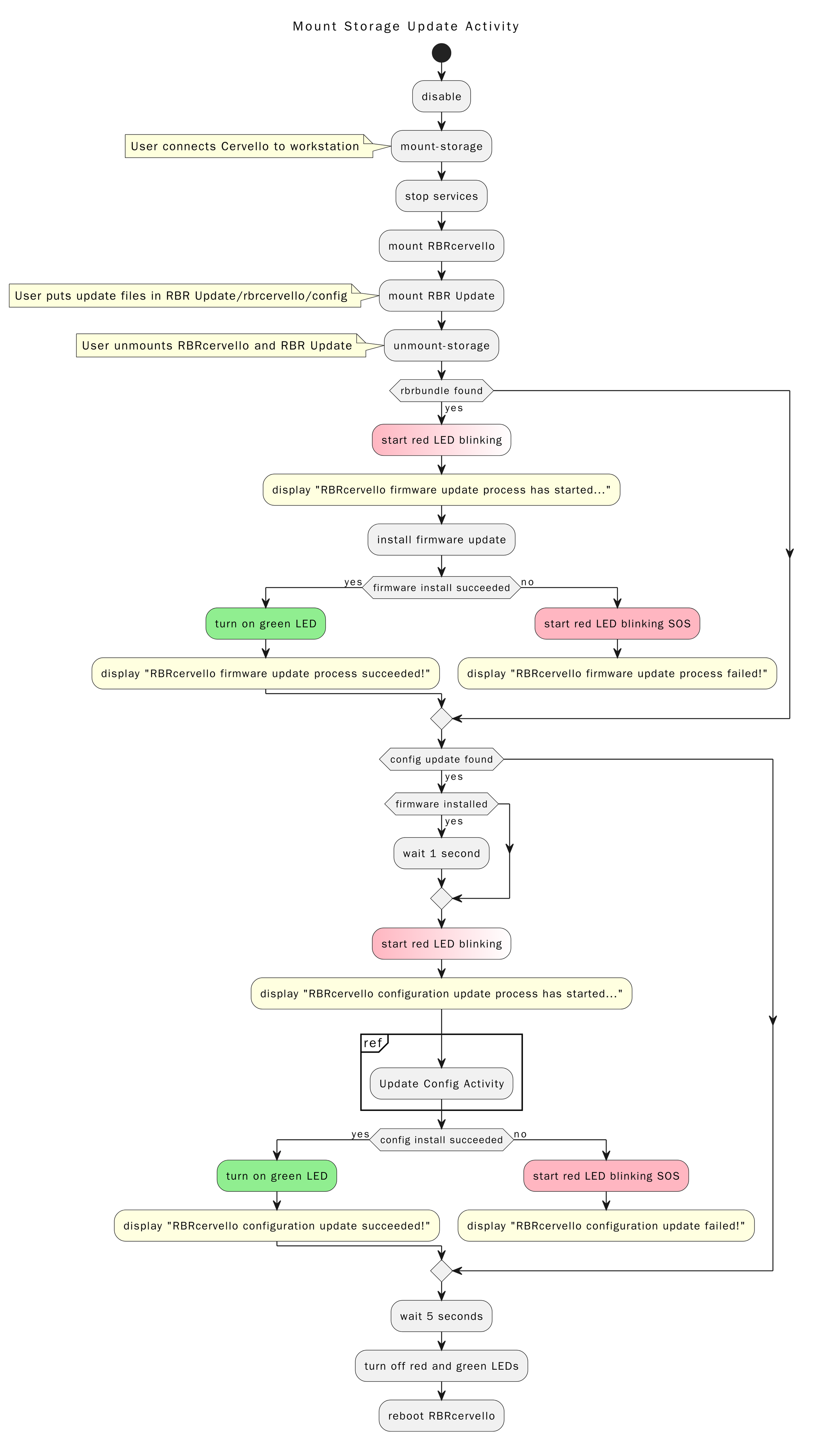
While applying updates, the red light on the data controller will flash steadily. Once all updates are installed, the red light will cease flashing and the green light will turn on. At that point, the data controller will reboot itself within 5 seconds. The green light will turn off.
If an error occurs during the process, the red light will repeatedly flash the Morse code representation of “SOS”: three short flashes, three long flashes, and three short flashes. If this occurs, contact us immediately at [email protected] or via the RBR website if there are any issues with your instrument.
Once the red light has turned off and stays off for several seconds, reconnect the instrument.
Update and revert feature
The data controller runs the same checks described in config-check before applying a new configuration. If the checks fail, the data controller will flash “SOS” and will not update the configuration.
After the configuration changes, and the RBRcervello has not yet communicated with the server, the RBRcervello will revert to the previous configuration if it fails to reach the server more than three times. This is intended to allow the RBRcervello to recover from configurations that prevent it from communicating with the server.
Workflow
The following diagram summarizes the workflow above.