Terminal emulator
|
A terminal emulator is used to communicate with the RBRcervata through its diagnostic port.
Windows
Teraterm
Teraterm is an open-source terminal emulator that lets you connect to hosts via serial port or the network. The default settings should work with the RBRcervata interface. Nevertheless, below you’ll find the configuration file that can be loaded using the Setup→Restore Setup… menu.
Alternatively, you could configure the settings manually as follows:
-
In Setup→Terminal…:
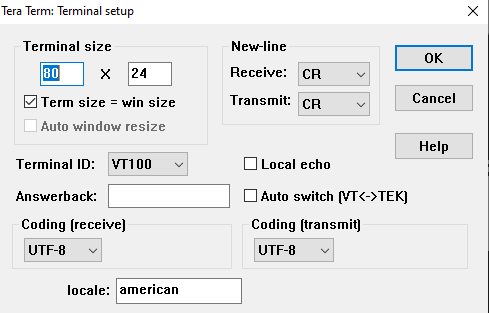
-
In Setup→Keyboard…
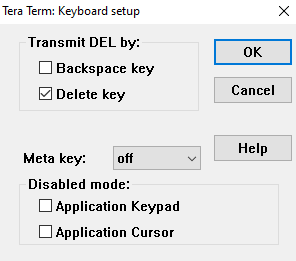
-
In Setup→Serial Port…:
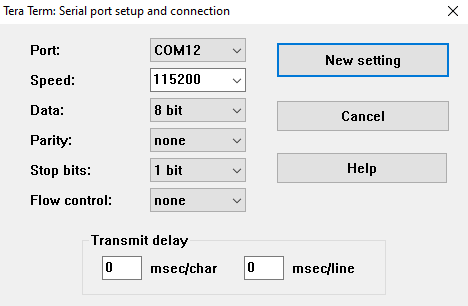
|
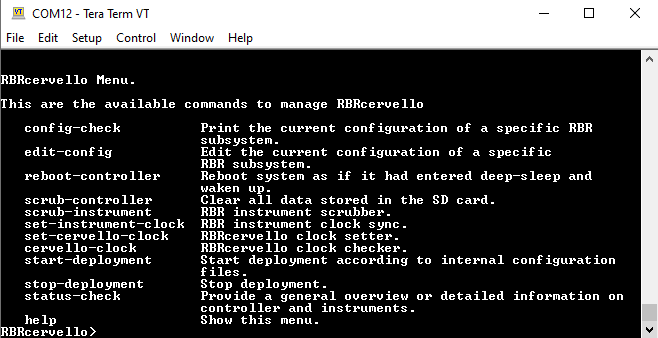
Highlighting text on the terminal automatically copies it to the clipboard and right-clicking on the terminal pastes text on it. |
Linux
On a Linux-based workstation, any terminal emulator console that supports a serial port can be used.
Minicom
You could either use minicom -s to set up the terminal with the right port and settings or execute it with explicit settings at runtime with the correct device:
minicom -b 115200 -D /dev/ttyUSB0|
To copy and paste text from and to a Linux terminal, Ctrl+Shift+C and Ctrl+Shift+V should be used. |
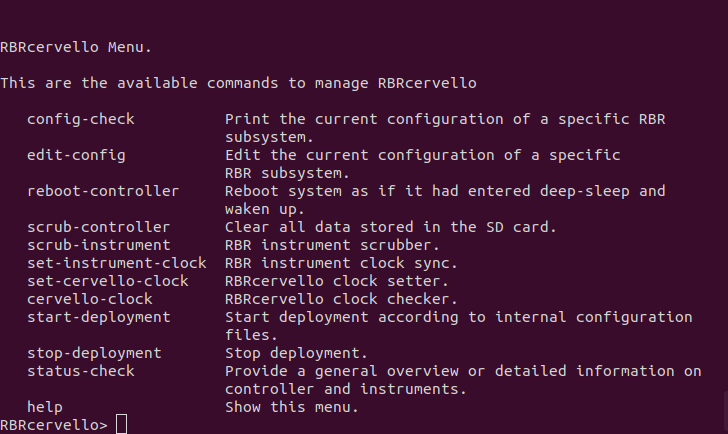
Fig. 9. Minicom
|
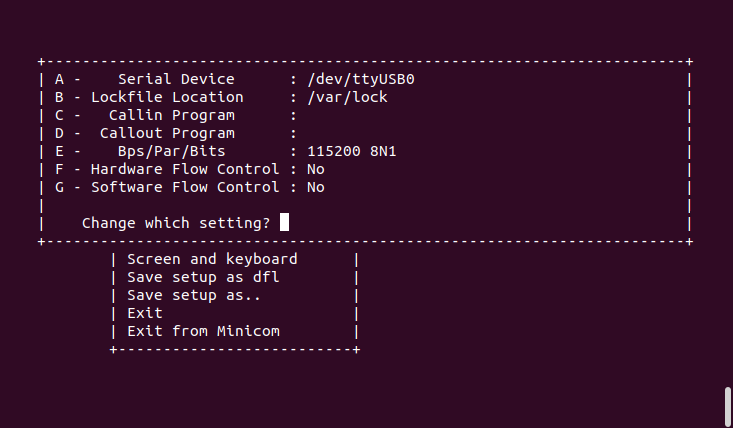
Fig. 10. Minicom serial settings
|