Hardware overview
|
Opening the RBRcervata
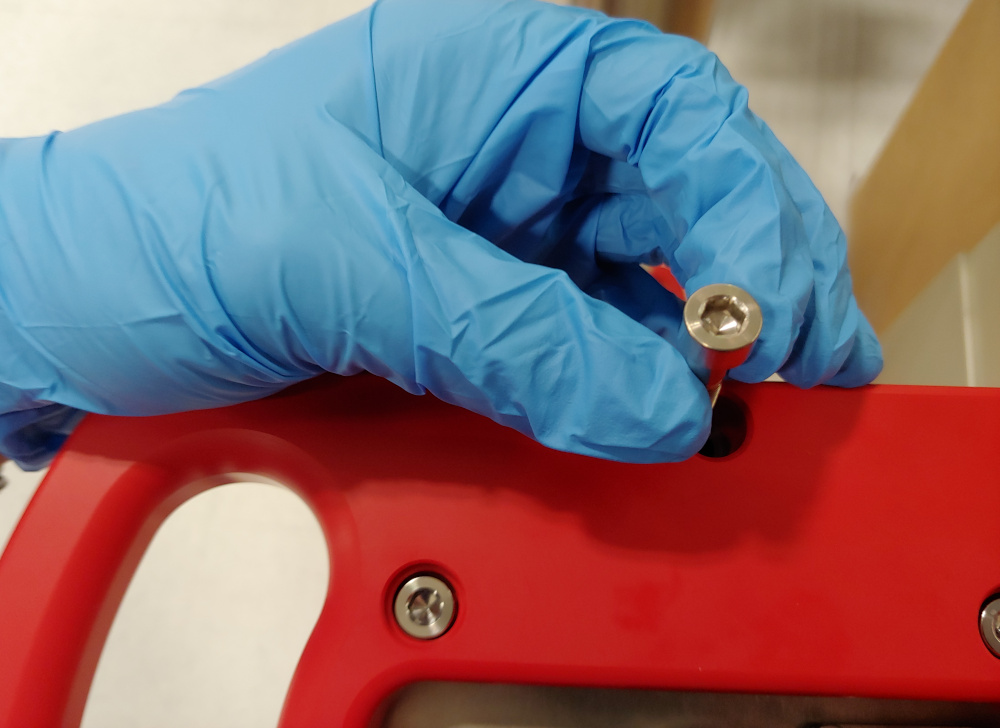
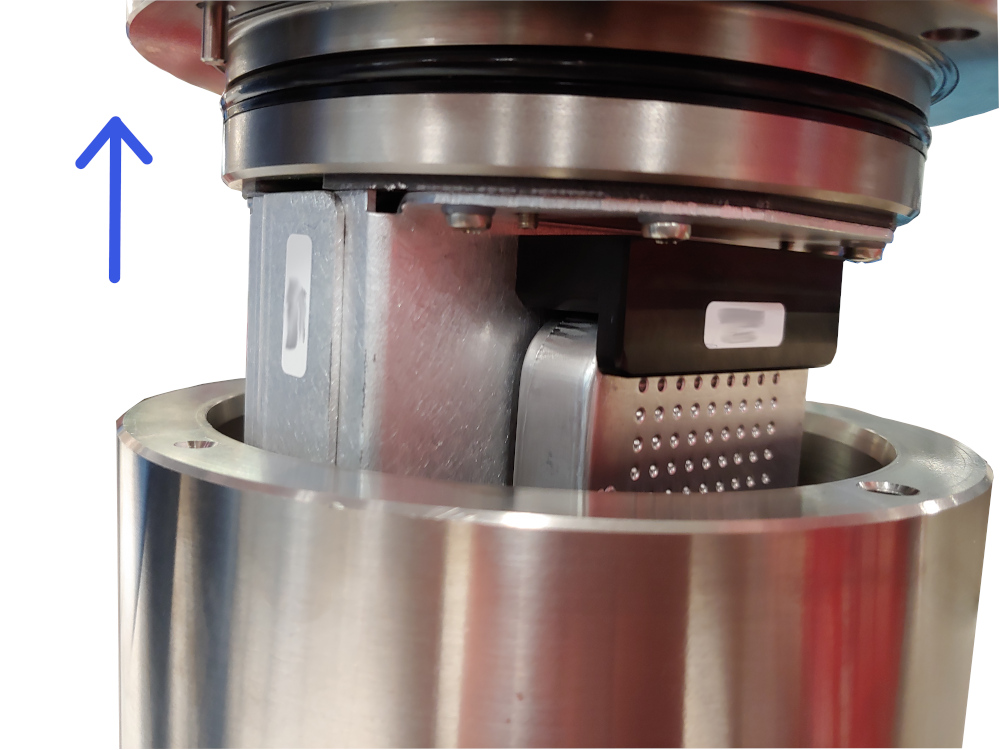
The RBRcervata is serviceable by opening the "battery end-cap". The battery end-cap will be the side with the connectors on it. Only the battery end cap needs to be opened to access the controller, desiccant and battery.
|
|
|
|
Inspecting O-rings
Pay attention to the following areas:
-
The surface of the O-ring itself
-
The mating surface on the inside of the case between the threads and the open end
-
The inner surfaces of the groove in the end cap where the O-ring sits
Any dirt present should be removed by wiping thoroughly with a soft, lint-free cloth. When cleaning, never use any material or tool which could scratch the O-ring or any of its mating surfaces. If any dirt is present in the O-ring groove, then the O-ring should be removed as described below to allow thorough cleaning of the groove. If an O-ring needs to be removed for any reason, it should be replaced.
If the O-ring is scratched, cut, distorted, perished or defective in any other way it must be replaced. If any of the surfaces of the O-ring groove are scratched, pitted or otherwise damaged, the logger may need to be returned to RBR for refurbishment: please contact us for advice.
Replacing an O-ring
-
Lever the O-ring from its groove. Use a soft plastic or wood tool; do not use a metal screwdriver or any other tool which may scratch the surfaces of the O-ring groove, doing so will probably render the end cap useless. Slide the O-ring out of its groove and off the logger. The O-ring may need to stretch quite a bit as it is pushed off; this requires some effort but can be done by hand.
-
Thoroughly clean the O-ring groove, taking great care not to scratch or damage it in any way. Inspect it carefully, and contact us for advice if it appears damaged. Apply a light film of silicone grease to all three inside surfaces of the groove, being careful not to trap any dirt, hairs or lint.
-
Select the proper O-ring, see part numbers below, and make sure it is not damaged. Lubricate it with a very light film of silicone grease to ease its installation.
-
Install the new O-ring by pushing it into place and popping it into its groove.
-
When the new O-ring is in place, inspect it once more for scratches and dirt, and wipe away any silicone grease deposited on the end cap.
Replacing the desiccant canister
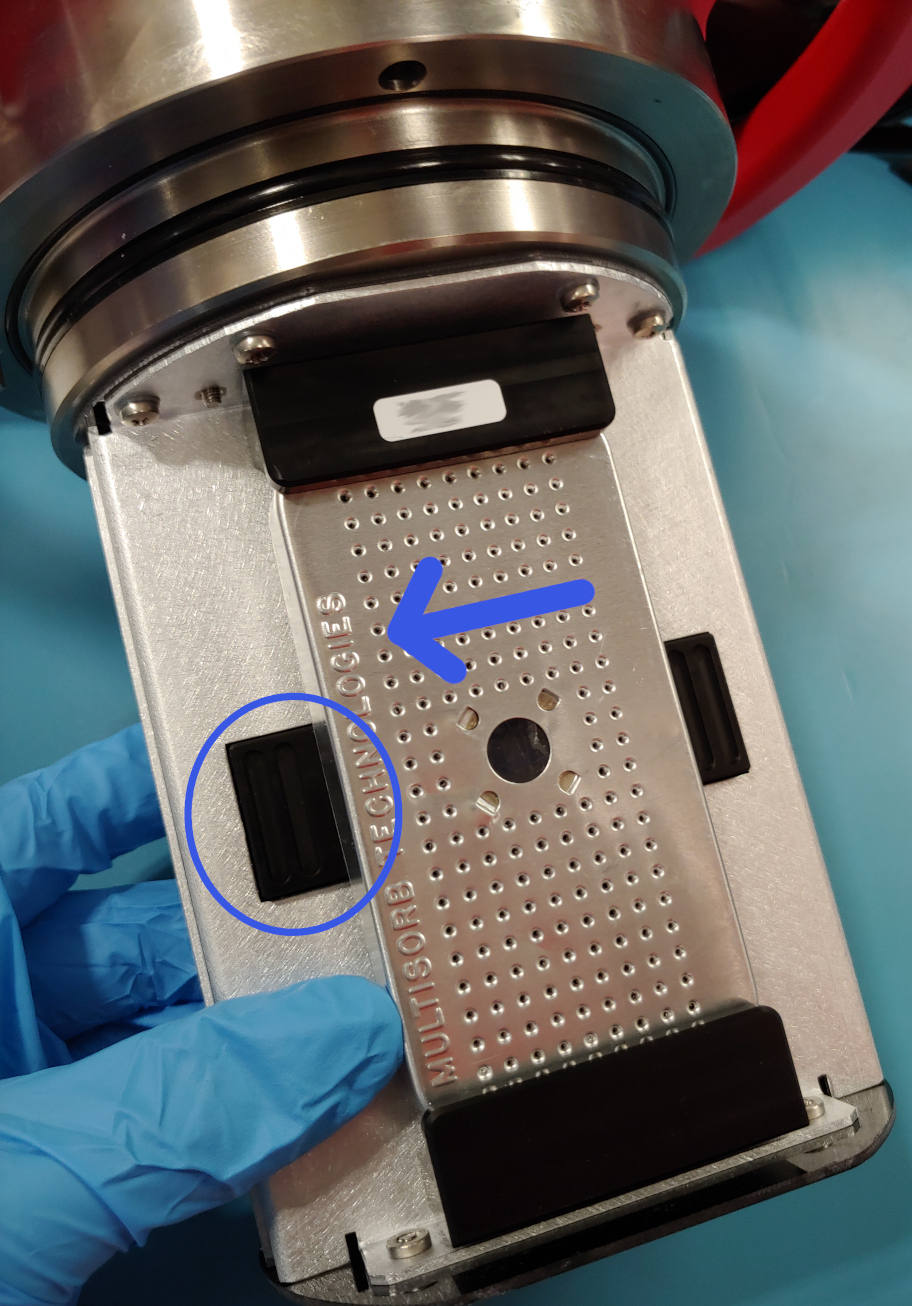
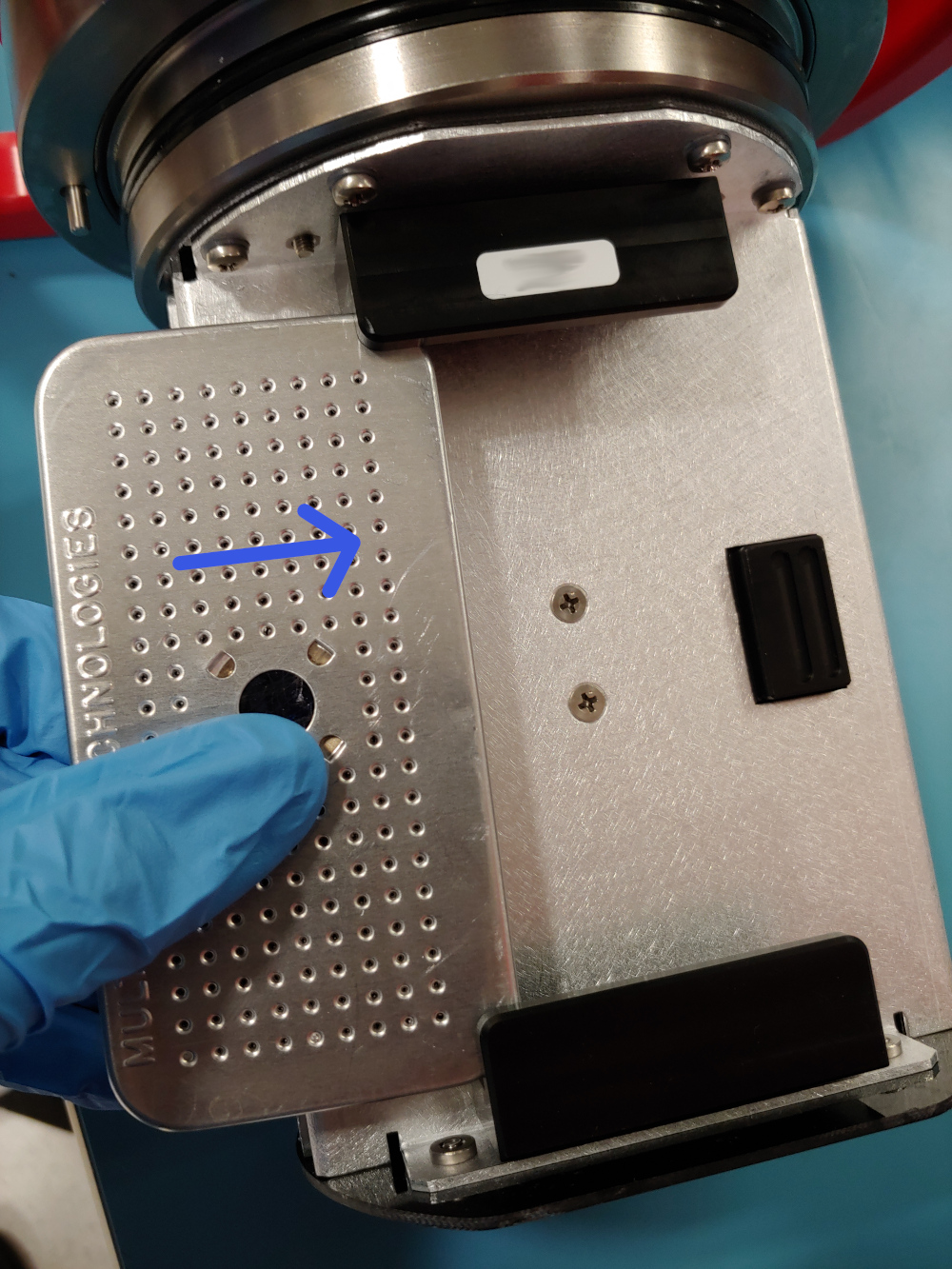
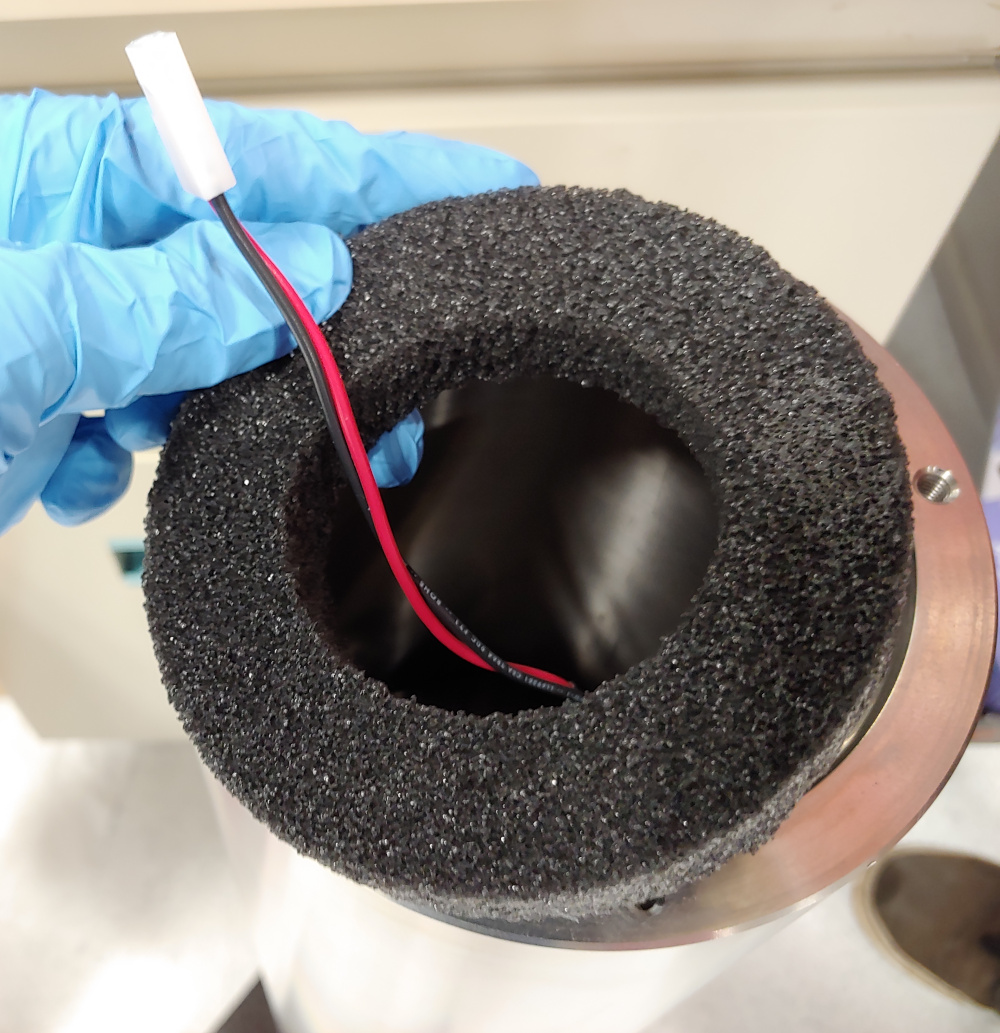
Replacing the desiccants is recommended before each deployment. The use of fresh desiccants will keep the RBRcervata compartment dry and prevent the electronics from being damaged due to condensation inside the controller. As a preventative measure, RBR recommends always use fresh desiccant packs and, when possible, service the instrument in a cool, dry place.
|
|
|
|
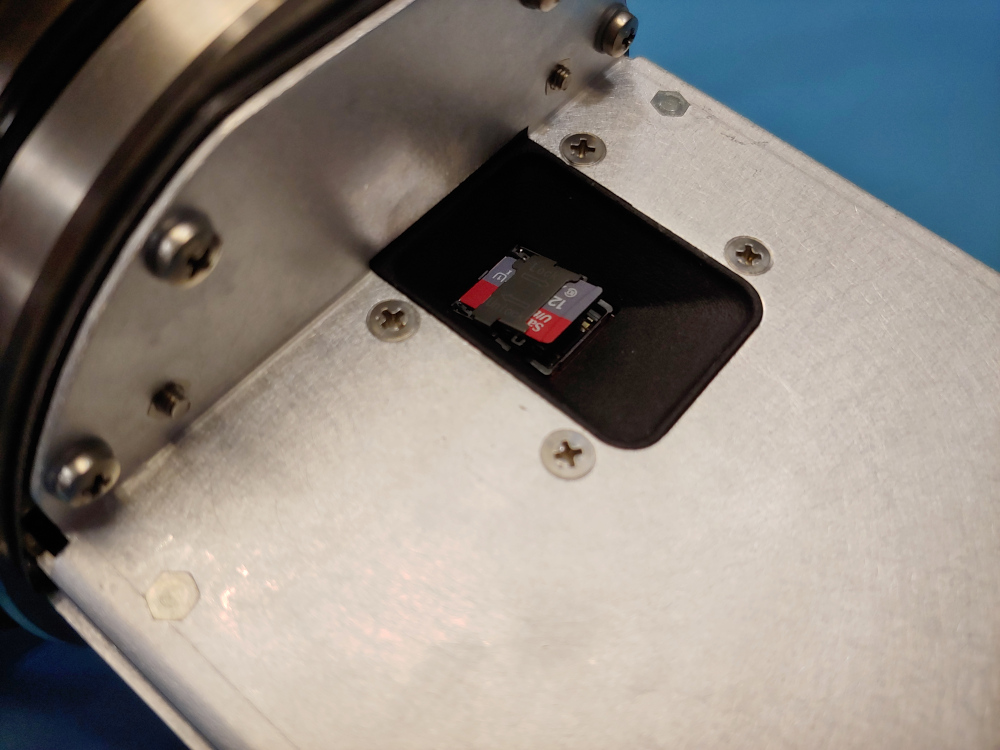
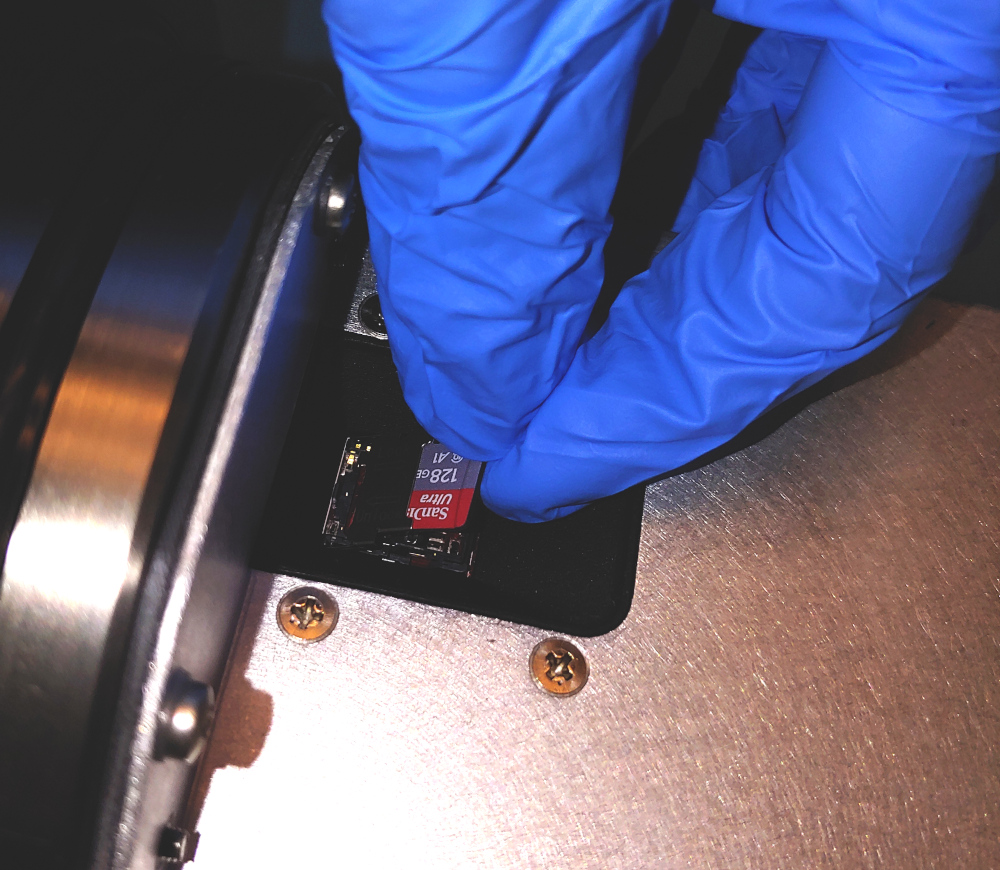
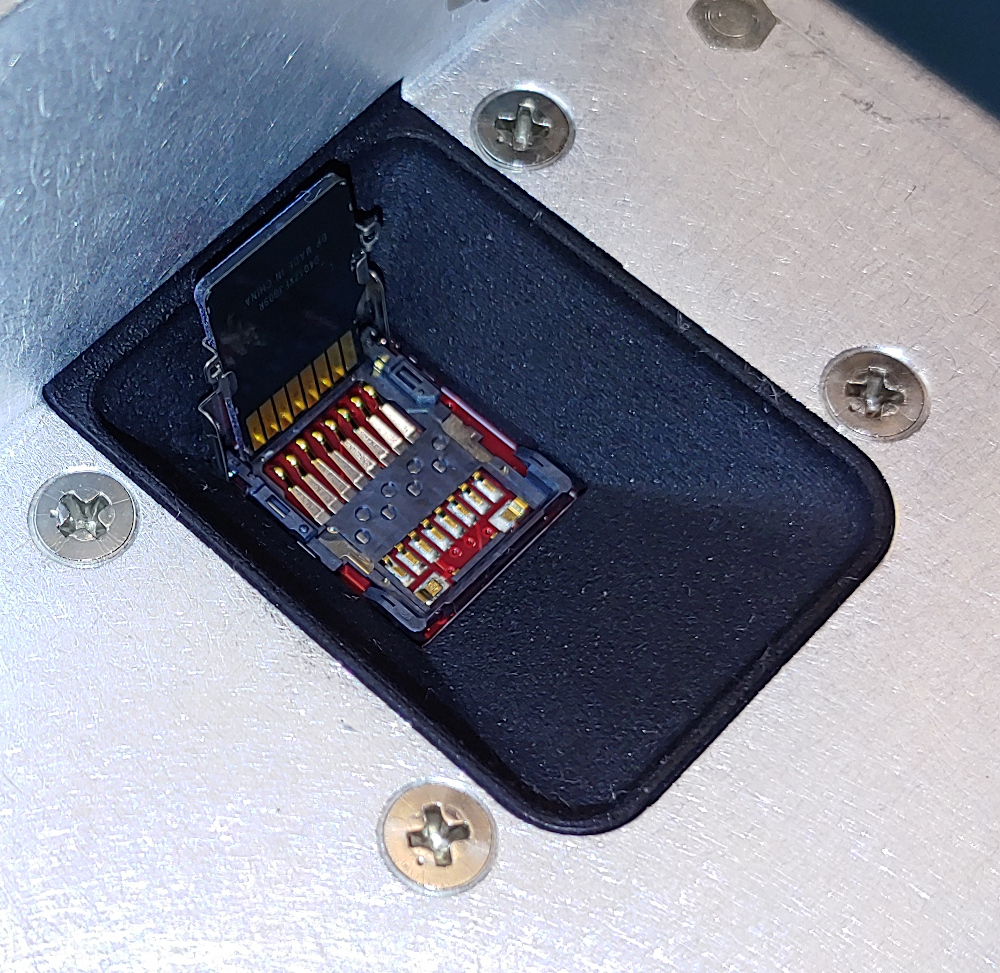
Inserting/removing the micro SD card
Please ensure that the RBRcervata is fully powered down and is not connected to internal or external power. The SD card is held by a metal carrier that keeps it in the correct position.
|
|
|
|
|
|
|
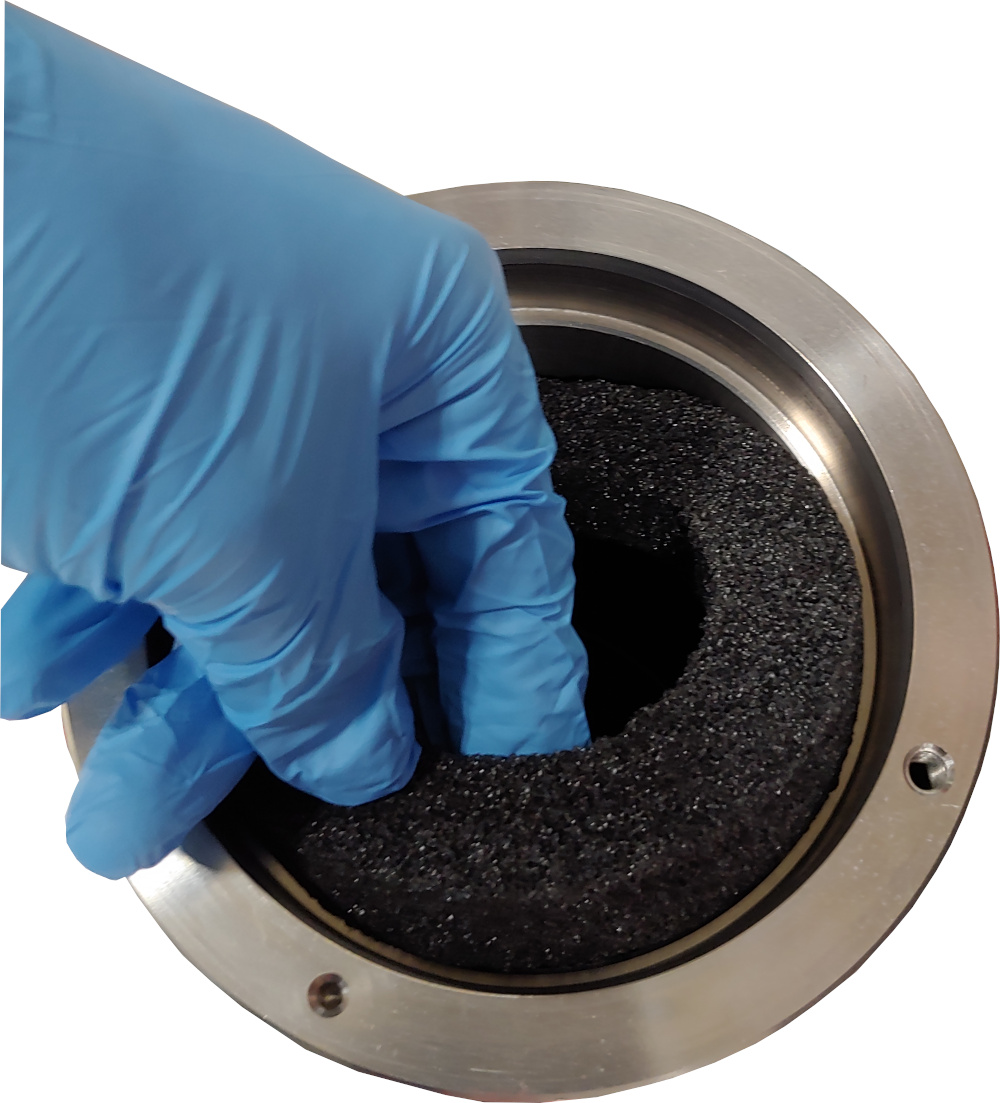
Installing the battery pack
|
|
|
|
|
|
|
|
|
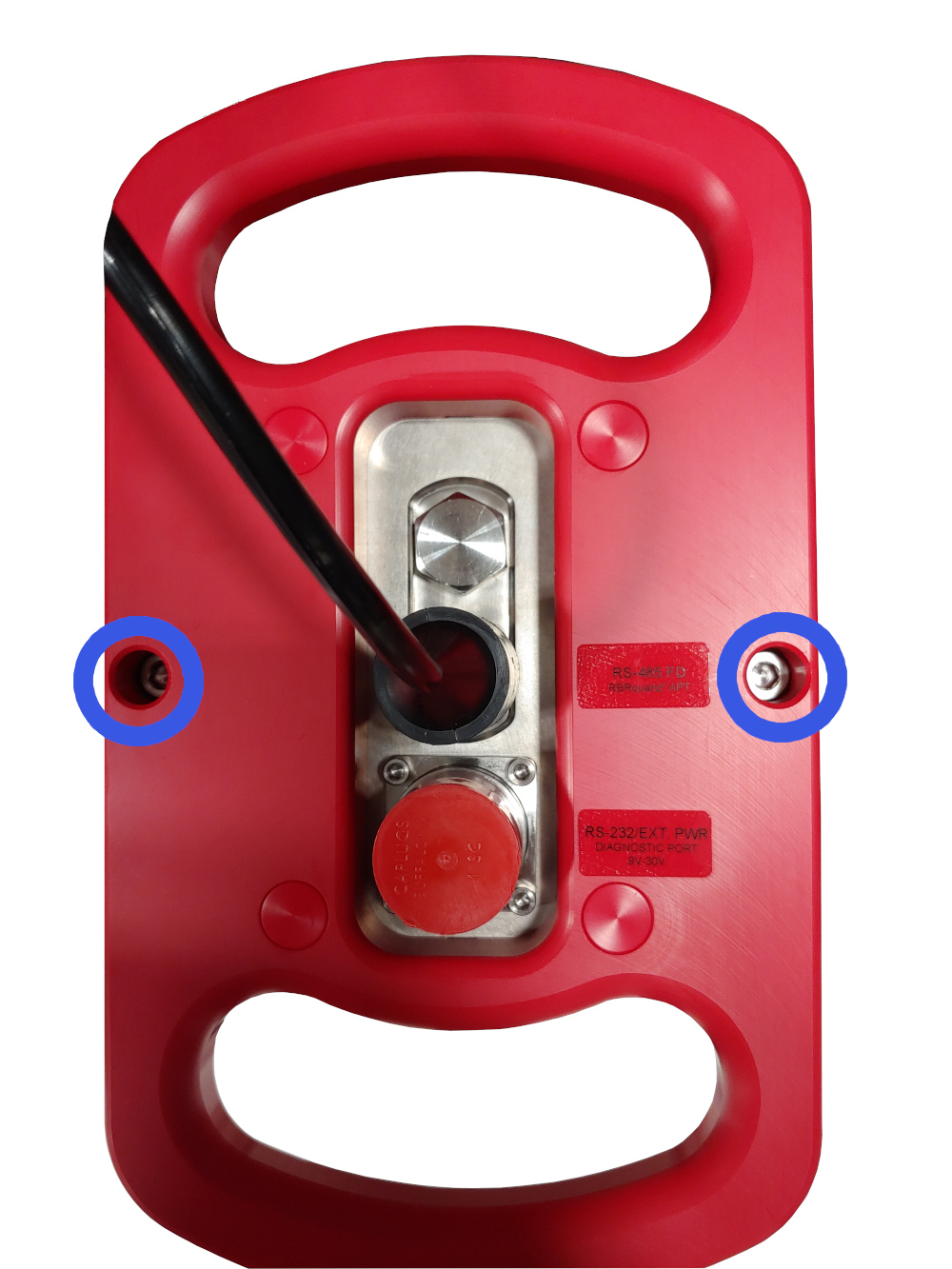
Fig. 2. Opening screws, torqued to 1.7Nm
|
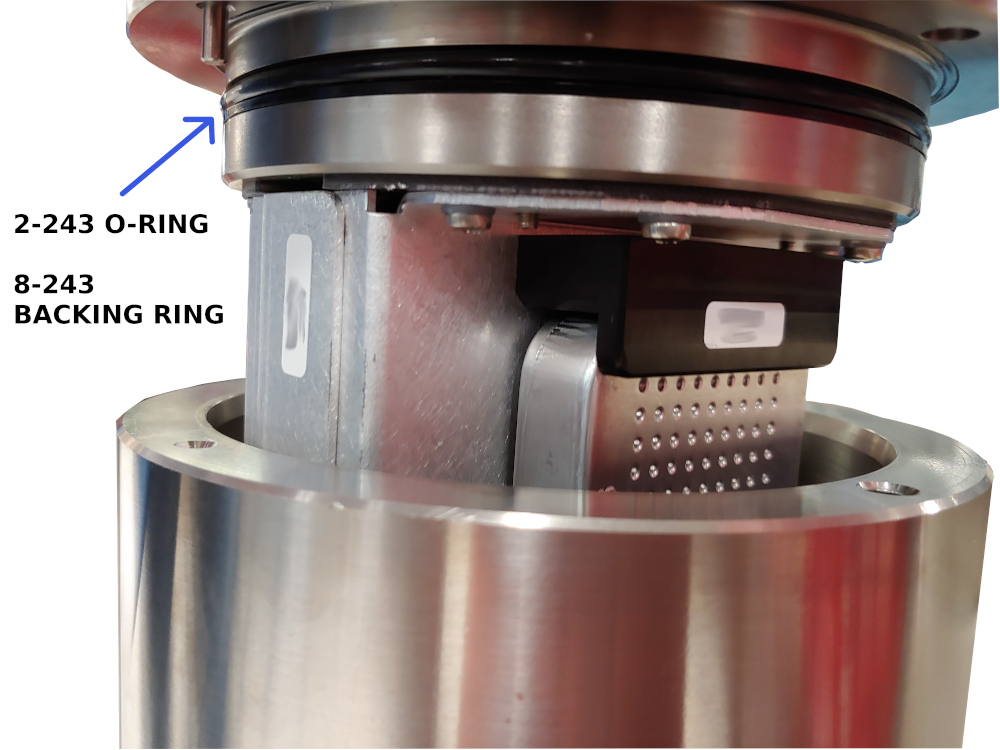
Fig. 3. O-rings
|
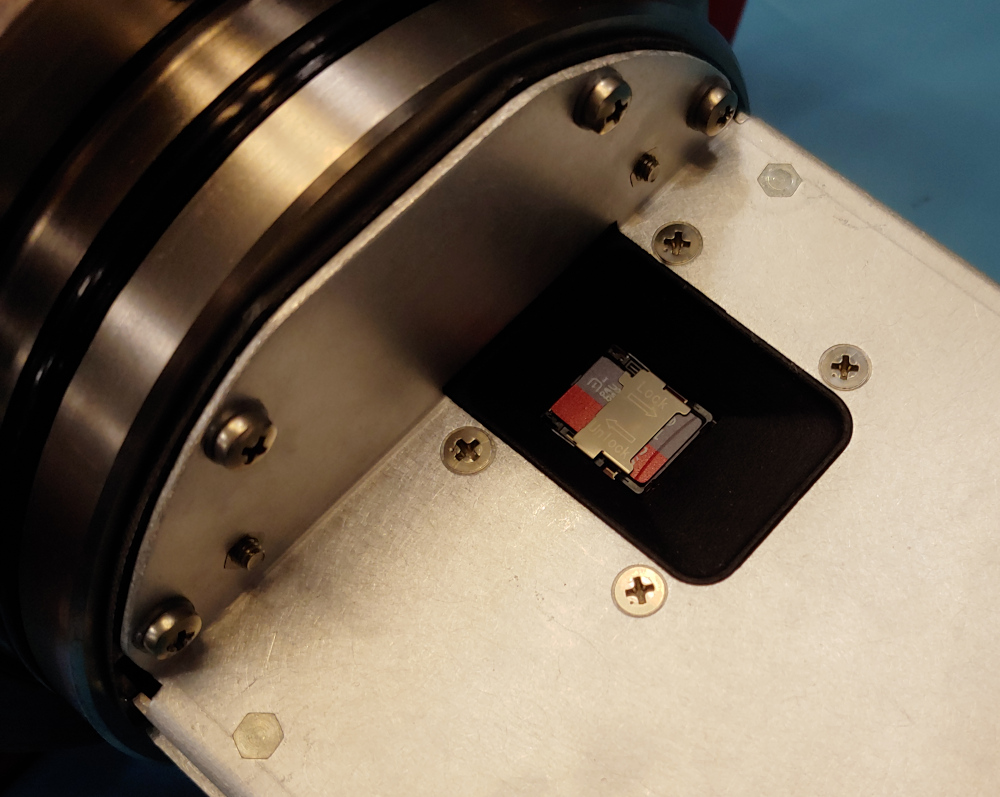
Fig. 4. SD card holder
|
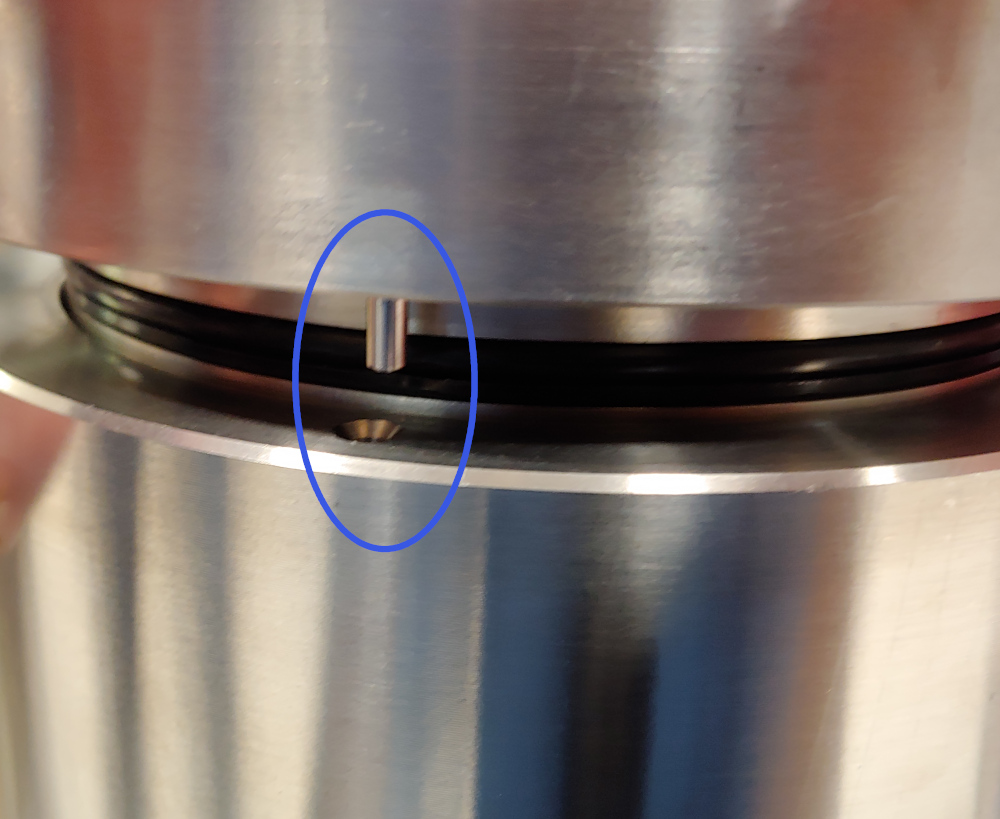
Fig. 5. Alignment pin
|