Quick start guide
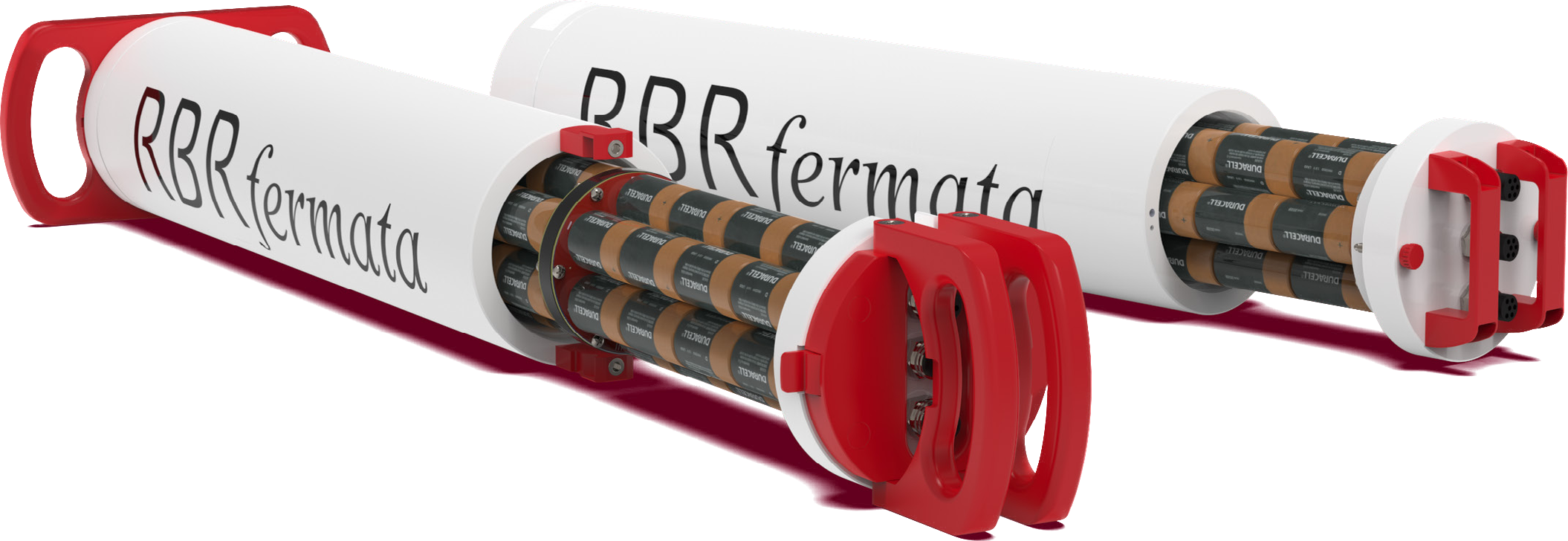
The RBRfermata battery canister extends deployments of all instruments by providing up to 2.8kWh of energy to any underwater instrument, which is about forty times greater than our standard battery carriage capacity. Housing 48 individual D-cells and hosting three MCBH connectors, it has both a 14V and 28V option. An innovative battery carrousel coupled with quick-release or low-profile handles facilitates simple, tool-free battery replacement.
Included with your RBRfermata
-
O-rings, silicone compound, and O-ring removal tool
-
Lithium battery retention bands
Deploy
1. Open the RBRfermata
1.1. If you are using the model with quick-release handles:
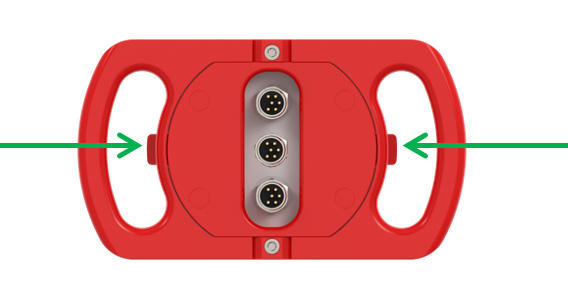
-
Locate two release tabs on the opposite sides of the battery end-cap.
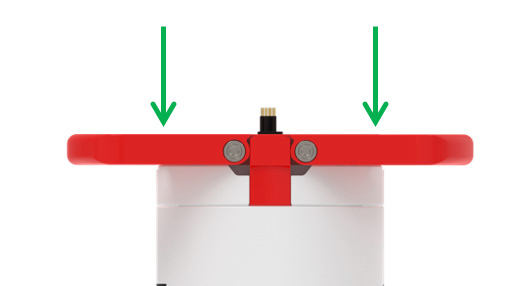
-
Push at the tabs from the top to release the end-cap handles.
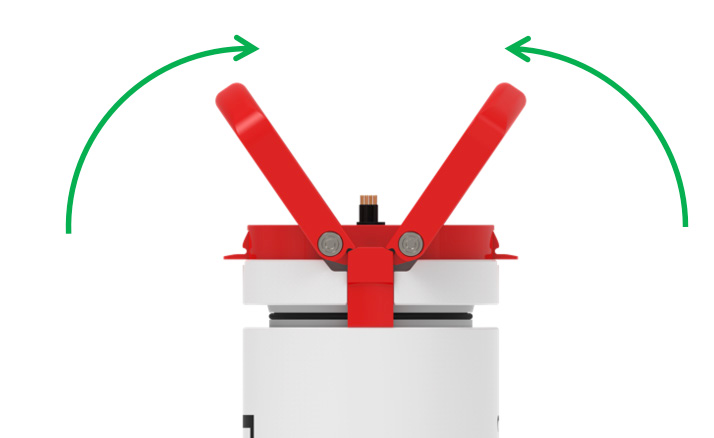
-
Move the handles up from both sides.
-
Firmly grip both battery end-cap handles and pull them up to remove the battery carrousel.
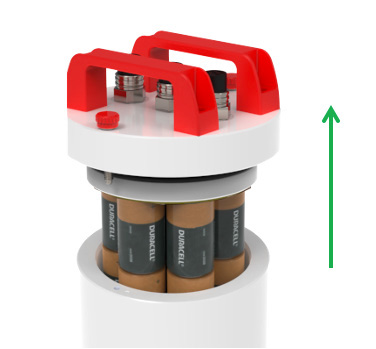
1.2. If you are using the model with low-profile handles:
-
Firmly grip both battery end-cap handles and pull them up to remove the battery carrousel.
2. Install new batteries
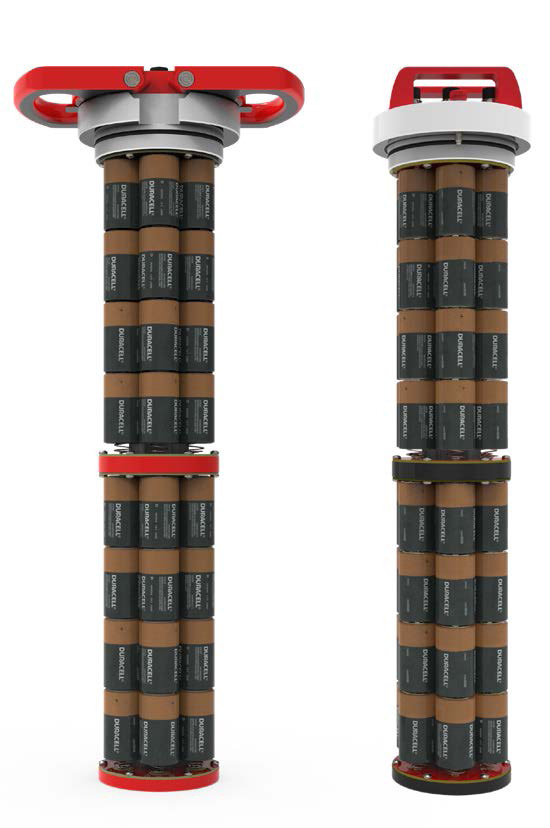
-
Alkaline and nickel metal hydride are magnetic and hold in place with no additional steps required. Simply put the batteries in the carrousel, ensuring correct polarity.
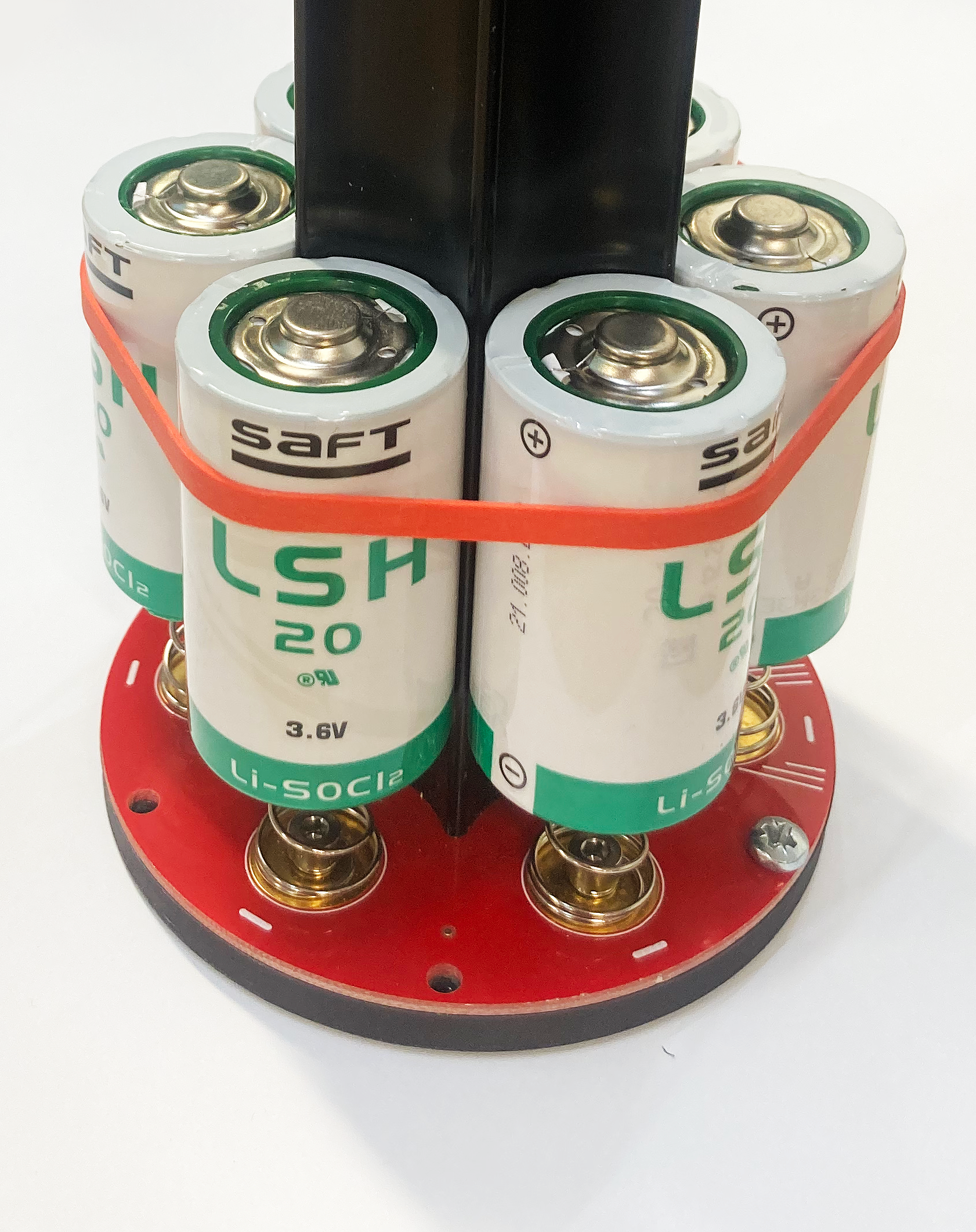
-
Lithium batteries do not have enough magnetic material to hold them together in assembly. Use the red retention bands provided with your RBRfermata, as shown. Verify polarity before installing the batteries.
| Always remove the batteries from the canister during long-term storage! Doing so will prevent internal damage due to battery leakage and/or corrosion. |
3. Close the RBRfermata
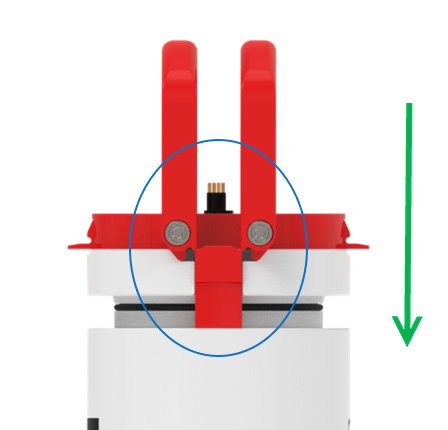
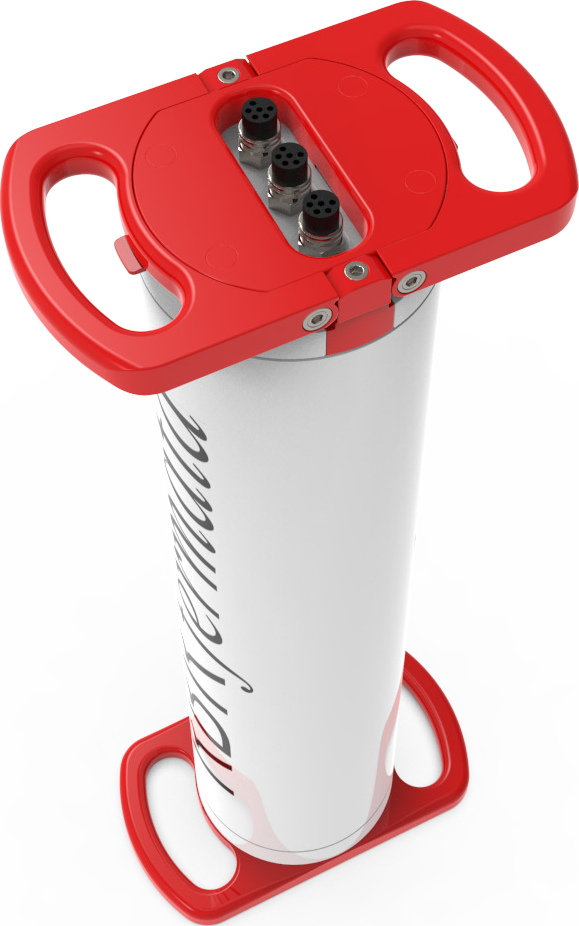
3.1. If you are using the model with quick-release handles:
-
Align the battery end-cap with the slots on the housing and gently push down to ensure it fits in place.
-
Place both hands on the top of the end-cap handles and gently push them out, towards the opposite sides, until they click.
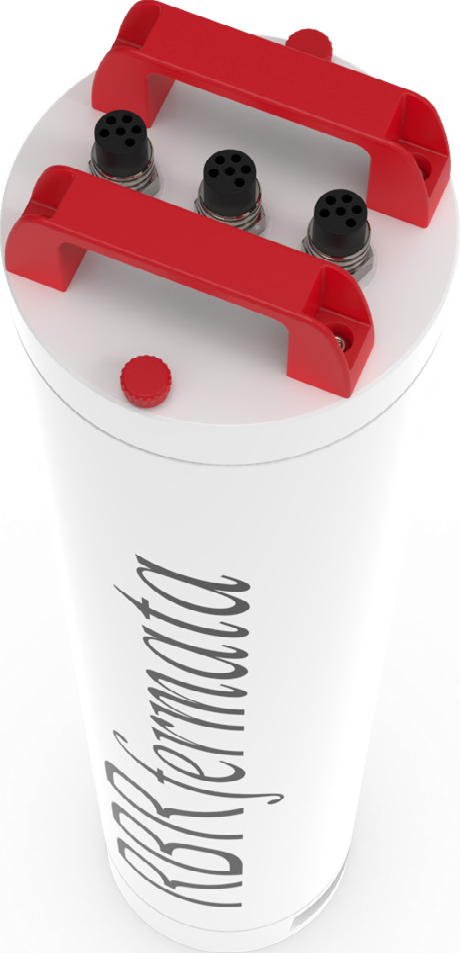
3.2. If you are using the model with low-profile handles:
-
Place the battery end-cap on the housing and gently push down to ensure it fits in place.
Deployment checklist
-
Install new batteries.
-
Inspect the O-rings and replace if necessary.
| Always remove the batteries from the canister during long-term storage! Doing so will prevent internal damage due to battery leakage and/or corrosion. |
Support
To access support within the Ruskin app, navigate to Help > Comment on Ruskin....
For technical support, please reach out to [email protected], call +1 613 599 8900 (UTC-5), or visit rbr-global.com/support/service.