Quick start guide

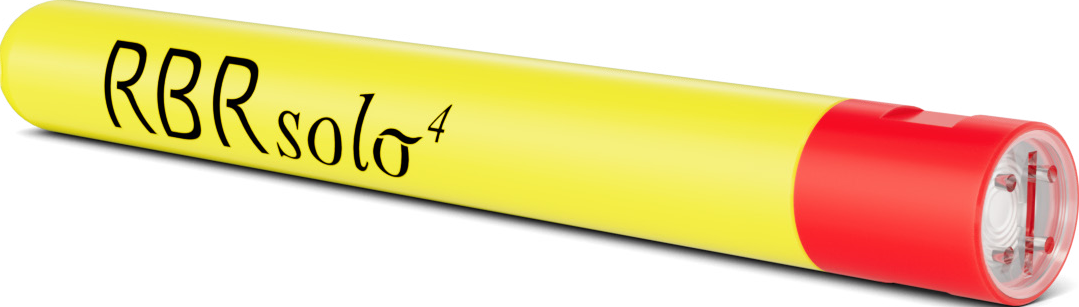
The RBRsolo⁴ and RBRduet⁴ instruments are compact, lightweight, and versatile. They offer flexible measurement schedules, sampling rates up to 32Hz, large memory, and more power for extended deployments.
Included with your instrument
-
One or two AA-type battery depending on model
-
USB-C cable with adaptor
-
O-rings, silicone compound, O-ring removal tool, and reusable desiccant
-
USB stick containing Ruskin software and documentation
-
Calibration certificates*
*Calibration certificates are available in Ruskin. To download, connect your instrument, go to Calibration, and select the Download button.
Ruskin software
Find Ruskin software for Mac and PC on the USB stick included with your instrument, or visit rbr-global.com/products/software.
Deploy
-
Connect the USB-C desktop cable to the instrument. The instrument will appear on Ruskin.
-
Select the required Sampling mode and speed.
-
Select UTC or Local to synchronise the instrument clock to the computer.
-
Choose whether to start Now or enter your desired Start date/time.
-
Ensure the Battery selection reflects the chemistry installed.
-
Review the estimated End date to ensure it fulfils the deployment requirements. Longer deployments can be achieved with better battery chemistry or lower sampling speeds.
-
Select Enable to start the deployment.
Deployment checklist
RBR ships the RBR compact instruments with new, highest capacity compatible batteries, a fresh desiccant capsule, and the O-rings installed, so that the instrument is ready for its first deployment.
For any subsequent deployment:
-
Install new batteries.*
-
Install fresh desiccant (orange).
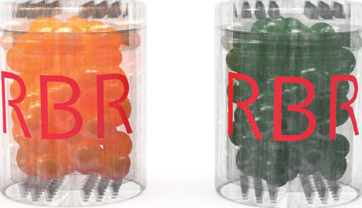
Fresh desiccant Exhausted desiccant
-
Inspect, clean, replace if necessary, and lubricate the O-rings.
*Replacement batteries must be the same chemistry and from the same manufacturer as each other.


| Always remove the batteries from the instrument during long-term storage! Doing so will prevent internal damage due to battery leakage and/or corrosion. |
Support
To access support within the Ruskin app, navigate to Help > Comment on Ruskin....
For technical support, please reach out to [email protected], call +1 613 599 8900 (UTC-5), or visit rbr-global.com/support/service.