Quick start guide

Included with your RBRcoda OpH
-
Storage cap
-
Calibration certificates*
*Calibration certificates are available in Ruskin. To download them, connect your instrument, go to Information, and select Download.
Deploy
RBR realtime sensors begin streaming data as soon as you provide power. Ruskin saves the data streamed or fetched from your RBRcoda OpH directly to your computer.
Protect your optode
The RBRcoda OpH sensor has a pH-sensitive foil that requires special care. Any damage will permanently affect performance:
-
Keep the optode out of direct sunlight.
-
Avoid touching the foil while cleaning or handling the sensor.
-
Fit the storage cap when the sensor is not in use.
-
Store the sensor in a dry, dark place at room temperature. High humidity or exposure to sunlight will destroy the sensor over time.
Deployment considerations
RBR ships the RBRcoda OpH sensors with a storage cap on. Keep the foil dry and covered, protected from physical damage and sunlight.
Follow these precautions to ensure faultless operation:
-
Do not exceed the maximum depth rating (6000m).
-
Do not apply physical stress to the housing.
-
Do not attempt to open the sensor.
For mooring or mounting applications, contact RBR for the correct clamps and brackets. Improper mounting may damage the sensor.
Before every deployment, hydrate the foil in water for at least 12 hours.
Replacing OpH foil
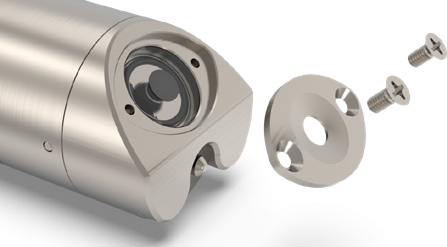
1. Remove the old foil
-
Remove the foil cover and set aside.
-
Remove the foil. It may be stuck to the window or to the cover.
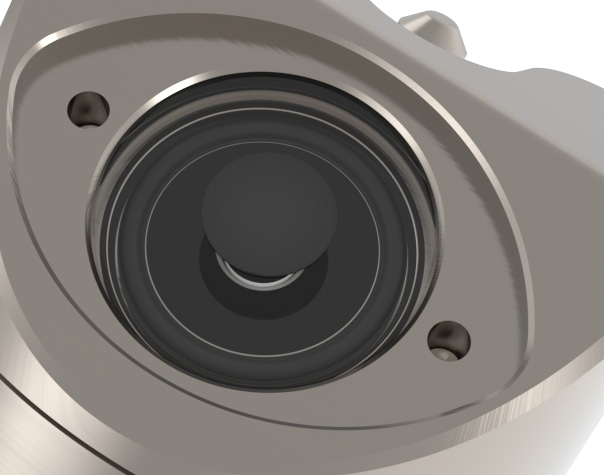
2. Fit the new foil
-
Using tweezers, lift the new foil from the holding sheet.
-
Foils have a matt grey sensor side and glossy plastic back side.
-
Centre the foil in the window.
-
Check the foil covers the optical fibre completely.
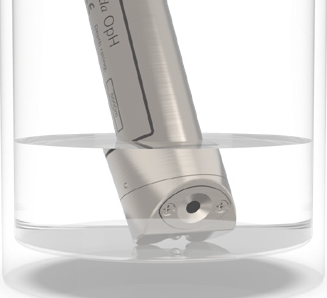
3. Hydrate the new foil
-
Replace the foil cover.
-
Tighten the screws alternately, a quarter turn at a time, to clamp the cover evenly.
-
Turn each screw a further quarter turn past snug.
-
Place the sensor in water for at least 12 hours before calibration.
For instructions on how to calibrate the RBRcoda OpH, see Ruskin User Guide: Sensors.
Support
To access support within the Ruskin app, navigate to Help > Comment on Ruskin....
For technical support, please reach out to [email protected], call +1 613 599 8900 (UTC-5), or visit rbr-global.com/support/service.